Rainbow Insta Girls
Rainbow Insta Girls turns you into a stylist for a squad of fashion-forward characters. Instead of a typical makeover routine, this arcade-style game hands you a rainbow palette of clothing, hair colors, and accessories, plus a gallery of trendy backgrounds. Your mission is to assemble unique ensembles that capture each model's personality and shine in front of a virtual camera. Whether you lean toward pastel minimalism or neon maximalism, every combination produces a fresh snapshot ready for your own visual delight. The game shines through its quick-fire customization system. Tap through categories like tops, bottoms, shoes, and extras, then tweak colors and patterns to match your vision. A built-in photo mode lets you frame your creation against a choice of backdrops, from city sunsets to tropical beaches. With dozens of pieces and endless color swaps, you can spend minutes or hours perfecting looks. It's a lighthearted, stress-free style playground for anyone who loves fashion, photography, or just playing with colors.
 WaffleMath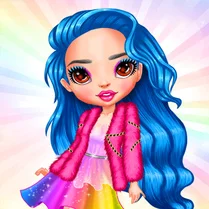
Common Core State Standards
Every game supports specific Common Core standards. Browse the full standards library.
Practice by Skill
Games by Grade
What is Rainbow Insta Girls
Step into a pocket-sized fashion studio where every tap adds a splash of color. Craft signature looks for a crew of stylish characters and snap their perfect shot.
How to Play
Select a character, then browse the wardrobe tabs to dress them in tops, bottoms, shoes, and accessories. Adjust colors, pick a background, and hit the camera button to save your styled portrait.
Tips for Playing
- Mix complementary colors from opposite sides of the rainbow for a striking contrast.
- Layer accessories like glasses and hats to add personality without overwhelming the outfit.
- Switch backgrounds to match the mood of your outfit—try a sunset for warm tones.
- Play with hair color last to tie the whole look together.
- Revisit saved looks and tweak one item to see how it changes the vibe.
Frequently Asked Questions
How do I change my character's hair?
Open the hair tab in the wardrobe section. You'll find style options plus a color wheel to adjust the shade.
Can I save my finished looks?
Yes, use the camera button to capture your styled character. Your gallery stores it for later viewing.
Are there different backgrounds to choose from?
Absolutely. The backdrop selection includes a variety of scenic and abstract options that you can cycle through freely.
Is there a limit to how many outfits I can create?
No limit. You can dress and photograph as many characters and combinations as you like.
What if I make a mistake or want to restart?
Tap the reset or undo button to clear your current styling and start fresh without losing previous saves.
Related Dress Up Style Games
 Angela 2
 Beauty Salon - Fashion and Style for Girls
 Beauty Salon: Makeover & Dress Up
 Cool Girl Aesthetics
 Get Ready With Me: Concert Day
 Princess Jasmine Dress Up
 Princess Wedding Transformation
 Beautiful Girls
 Barbie Beauty Salon
 Rich College Couple Dress Up
 Anime Girl : Beauty Salon
 BFF Dress Up Girls
 Ink Shop: Dress & Tattoo
 Charming Hair Salon
 Barbiemania
 Fashion Show Dress Up
 Back To School: Uniforms Edition
 Paper Doll Diary - Chibi Dolls