Piano for everyone
This virtual piano puts a full keyboard at your fingertips, turning any browser into a musical playground. You don't need any prior experience—just pick a key and start experimenting with sounds. The interface is straightforward, with clearly labeled keys that respond instantly to your clicks or taps. Whether you're curious about how a piano feels or want to try your hand at simple melodies, this tool makes it easy to dive in. Beyond free play, you can follow along with built-in song guides that highlight the notes you need to play, helping you build confidence step by step. For those who like to improvise, there's plenty of room to create your own compositions and hear them come to life. It's a low-pressure, friendly way to get comfortable with music, whether you have five minutes or an hour to spare.
 WaffleMath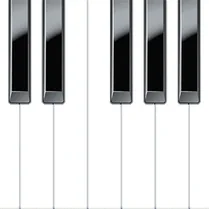
Common Core State Standards
Every game supports specific Common Core standards. Browse the full standards library.
Practice by Skill
Games by Grade
What is Piano for everyone
Piano for everyone brings the joy of playing piano to your screen, no instrument required. Just open the page, and the keys are ready for you to explore.
How to Play
Click or tap the on-screen keys to play notes, or use your computer's keyboard if you prefer. Follow the highlighted notes in the tutorials to learn songs, or press keys freely to make your own music.
Tips for Playing
- Start with simple songs to get a feel for where the notes are.
- Use the keyboard shortcuts if you want faster, more precise control.
- Experiment with different rhythms to make melodies more interesting.
- Listen to the sound of each note before you try a full song.
- Take breaks if your fingers get tired—practice little by little.
Frequently Asked Questions
Do I need to know how to play the piano to use this?
No, it's designed for beginners. You can just press keys and explore, or follow the tutorials to learn step by step.
Can I play this on a mobile device?
Yes, it works on touchscreens. You can tap the keys with your fingers.
What if I press a wrong key while following a tutorial?
Nothing bad happens—you'll just hear that note. You can keep going and correct yourself as you learn.
Is there a way to record my own performance?
The tool focuses on playing, so it doesn't include recording features. You can always use external software if needed.
Why do some notes sound different from others?
Each key produces a distinct pitch, just like a real piano. Lower notes are deeper, and higher notes are brighter.
Can I play songs that aren't in the tutorials?
Yes, you can improvise or try to replicate any song by ear, though the built-in guides only cover specific tracks.
Related Music Rhythm Games

 Squish taba-paws, hamsters and music!
 Piano Tile
 Candy Piano Tiles
 Musical Tiles
 Beat Fire
 Heart beat
 Piano Tiles: Italian Brainrot Animals
 Piano Tiles: Labubu
 Labubu and music
 Labubu Music Clicker!
 Musical Pets! Cute Singing Cats
 Amazing sprunks and music!
 Duo Tiles Music Game
 Italian Brainrot - Sprunki Box Beats Mod
 Musical Cringe
 Piano for kids
 Spranky: Beat Battle
 Friday Night Funkin