PC SIMULATOR
PC SIMULATOR puts you in the technician's chair, offering a sandbox where every screw and socket matters. You begin with an empty case and a catalog of components, ranging from budget-friendly parts to top-tier overclocking gear. The game emphasizes realistic installation—each part must seat properly, cables need routing, and cooling solutions demand careful thought before the power button is pressed. Once your creation is assembled, the real test begins. Run synthetic benchmarks to gauge frame rates, rendering speeds, and thermal stability, then tweak your configuration to strike the perfect balance between performance and budget. Whether you're chasing high scores in demanding titles or optimizing for video editing workflows, the simulator rewards patient, methodical tinkering. The satisfaction comes not from quick wins, but from watching a collection of individual parts evolve into a fully functional, personalized powerhouse.
 WaffleMath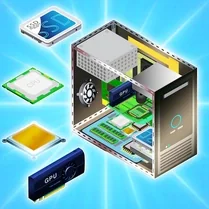
Common Core State Standards
Every game supports specific Common Core standards. Browse the full standards library.
Practice by Skill
Games by Grade
What is PC SIMULATOR
Ever wondered what it takes to build your own rig without risking real cash? PC SIMULATOR lets you explore that curiosity with a virtual toolbox and an endless supply of hardware.
How to Play
Select components from the available inventory and mount them into the case step by step, following the on-screen guides for proper placement. After assembly, power on your system and run benchmarks to see how your choices perform under load.
Tips for Playing
- Check compatibility between the motherboard and CPU before you commit to a purchase.
- Invest in a decent cooling solution early—overheating will throttle your performance.
- Route cables neatly; airflow matters more than you think in sustained loads.
- Experiment with different RAM speeds to find the sweet spot for your budget.
- Rerun benchmarks after each upgrade to track what actually improves results.
Frequently Asked Questions
Do I need prior knowledge of PC hardware to enjoy the game?
No, the game provides clear instructions and tooltips, so beginners can learn as they go while veterans can dive straight into complex builds.
Can I play this game on a low-end computer?
Yes, the simulation is optimized to run smoothly on modest hardware, focusing on the building process rather than heavy graphics.
Is there a career mode or just sandbox building?
The game offers a sandbox experience with challenges and benchmarks, but there is no linear career—your goals are self-directed.
Are all components based on real brands?
Components are fictional but modeled to reflect real-world performance characteristics, keeping the experience authentic without trademark issues.
What happens if I install a part incorrectly?
You'll see an error indicator, and the system won't boot until the issue is fixed, teaching you proper installation habits.
Can I share my builds with other players?
The game includes a feature to export screenshots and performance stats, allowing you to show off your creations on forums or social media.
Related Simulation Tycoon Games

 Your Aquapark 2025
 Mansion Tycoon
 Dream Car: Assemble by Detail
 Factory Builder
 Dream Beach Tycoon
 Perfect hotel
 Ball Factory Tycoon 3D
 Robbie Airport Tycoon 2: Become a Tycoon
 Tycoon: Dream House
 Building Tycoon Hotel
 Factory Empire: Become a Tycoon
 Pimp Toku Life!
 Automechanic: Build Car 3D!
 Build your car
 Car Master 3D
 Cartoon City 2: Farm To Town
 City Tycoon
 Endless Hotel