Paper Flight 2
Paper Flight 2 turns a simple childhood pastime into a test of skill and patience. You take control of a paper aircraft and guide it through a series of handcrafted environments packed with rings, tunnels, fans, and moving barriers. Each level asks you to read the air currents, judge distances, and make split-second adjustments to keep your fragile plane aloft. The game rewards steady hands and a calm mind, but it’s just as happy to let you experiment with wild angles and risky shortcuts.\n\nThe visual style is light and inviting, with soft colors and gentle animations that make every crash feel more amusing than frustrating. As you progress, the courses grow more intricate, introducing new mechanical elements that shake up your approach. There’s no timer pressure and no lives to lose—just you, your plane, and a series of puzzles that encourage replaying until you nail that perfect run. Whether you’re chasing a new distance record or simply enjoying the flow of a well-executed glide, Paper Flight 2 offers a relaxed yet absorbing experience.
 WaffleMath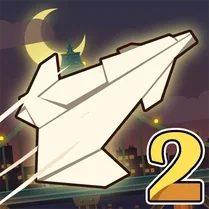
Common Core State Standards
Every game supports specific Common Core standards. Browse the full standards library.
Practice by Skill
Games by Grade
What is Paper Flight 2
Fold, toss, and guide your paper plane through a series of creative obstacle courses. It’s a gentle physics playground where patience and precision matter more than speed.
How to Play
Use your mouse or touch to set the launch angle and power, then release to send your plane flying. Once airborne, tap or click to apply flaps that adjust your trajectory and speed.
Tips for Playing
- Aim for a gentle upward angle at launch to gain altitude before diving toward the first ring.
- Tap briefly for small corrections—holding too long will stall your plane.
- Watch how fans and air vents push your craft, and use them to carry you through tight gaps.
- If you keep missing a ring, try a lower launch power and a steadier glide instead of a fast toss.
- Explore different paths on each course; some routes hide easier rings or bonus point clusters.
Frequently Asked Questions
Can I control the plane after it leaves my hand?
Yes, you can use quick taps or clicks to adjust your glide and steer around obstacles, though the control is intentionally delicate.
Is there a limit on how many times I can try a course?
No, you can restart any course as many times as you like without any penalties.
What happens if I crash into an obstacle?
Your plane simply stops and you’re offered a chance to relaunch from the start of that course, keeping the experience pressure-free.
Are there different types of paper planes to unlock?
Some versions include varying paper styles that change weight and aerodynamics, so experiment to find one that suits your play.
Does the game work well on mobile devices?
Yes, the controls are touch-friendly and the interface adapts to smaller screens, making it easy to play on phones or tablets.
How do I earn a higher score or longer flight distance?
Passing through rings cleanly and hitting moving targets adds points, while staying aloft longer naturally increases your final distance.
Related Arcade Games
 Paper Flight
 Obby: Fly the Farthest in an Airplane
 Aviasali
 Hover Skirt
 Ragdoll Flight! Fly to the end!
 Happy Wheels
 Learn To Fly 3
 Moto X3M 2
 Short Life 2
 Jelly Truck
 Slippery slope
 Flappy Plane 3D
 Vladus. Break down the walls
 Moto X3M Winter
 Stunt Car Simulator 3D
 Airplane: Craft and Fly
 Geometric Dash: Flying Wave Challenge
 Airplanes Toys