Orb2048
Orb2048 takes the classic number-merging formula and gives it a fresh, geometric twist. Instead of numbered tiles, you're presented with a grid of vibrant orbs, each carrying a value. The core loop is simple: swipe to shift all orbs in a direction, and when two with the same value collide, they fuse into a single, more powerful orb. The challenge lies in planning your moves to avoid filling the grid, all while chasing the satisfying moment when you finally craft an orb worth 2048. The game's clean, minimal aesthetic keeps the focus on strategy, while the smooth animations make every merge feel rewarding. Whether you have a few minutes to spare or want to settle in for a long session, the escalating tension of each near-full board will keep you coming back. It's a pure test of foresight and spatial reasoning, offering a gentle learning curve but a deep well of strategic depth for those who want to master it.
 WaffleMath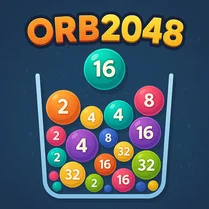
Common Core State Standards
Every game supports specific Common Core standards. Browse the full standards library.
Practice by Skill
Games by Grade
What is Orb2048
Slide, merge, and multiply in this hypnotic number puzzle. Can you combine orbs strategically to reach the magic 2048?
How to Play
Swipe in any direction (up, down, left, right) to move all orbs across the grid. When two orbs with the same value collide, they merge into one orb with double the value.
Tips for Playing
- Keep your highest-value orb in a corner to avoid dislodging it.
- Build chains by merging lower-value orbs in a specific direction first.
- Avoid creating a single high-value orb early; spread merges evenly.
- Plan a few moves ahead – every swipe changes the entire board.
- If the grid gets full, look for any adjacent matching orbs and merge them first.
Frequently Asked Questions
What is the goal of Orb2048?
The goal is to merge orbs with the same value to create an orb with the value 2048. You can continue playing beyond that for a higher score.
How do I control the orbs?
You swipe on the touchscreen or use arrow keys if playing on a keyboard. All orbs move in that direction until they hit a wall or another orb.
Can I undo a move in Orb2048?
Typically, there is no undo option in the standard version. Each move is permanent, so think carefully before swiping.
What happens when the grid is full?
If no more moves are possible (no empty spaces and no adjacent matching orbs), the game ends. You'll see your final score and can start a new game.
Does Orb2048 have a timer?
No, the game is not timed. You can take as long as you like to consider each move, making it a relaxing yet challenging puzzle.
Is Orb2048 suitable for all ages?
Yes, the rules are easy to understand, but mastering the strategy takes practice. It's a great brain teaser for kids and adults alike.
Related Match Bubble Games

 Chicken Merge
 Cube Snake 2048
 Big Number Merge
 Run Number Merge
 Italian Brainrot Merge Game
 Capy Merge
 Italian Brainrot Animals Merge Bombardiro Croco
 Block Merge Mania
 Combine fruits: classics
 8192: Space Cubes Challenge
 Get 11
 Block Merge 2048
 Memsfall - Merge memes!
 Combine Fruits and Berries!
 Merger: One Million
 Merge Balls: Addictive Puzzle Game!
 Mix Monsters: Fun Merge
 Master of Merge Numbers