Obby: Speed per Click 99,9
This game flips the typical obstacle course formula by tying your movement to your mouse work. Instead of using keys or a joystick, you dictate how fast your avatar sprints, leaps, and crawls by how quickly you smack the click button. Each stage is a gauntlet of platforms, ramps, and gaps that demand both swift tapping and precise timing, creating a fun test of hand speed and concentration. The pacing shifts as you progress, with later levels throwing in moving hazards and tighter corners that punish careless clicking. The real hook is finding that sweet spot between going full-throttle and holding back, as overshooting can send you careening into a pit. It's a lighthearted, skill-based twist on the obby format that rewards players who can keep a steady, fast rhythm while staying alert to the track ahead.
 WaffleMath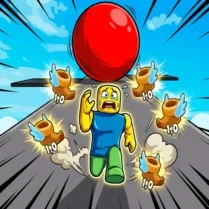
Common Core State Standards
Every game supports specific Common Core standards. Browse the full standards library.
Practice by Skill
Games by Grade
What is Obby: Speed per Click 99,9
A fresh take on obstacle courses, this game turns your click speed into your character's engine. Steady your hand and get ready to tap your way through a series of tricky stages.
How to Play
Click the mouse or tap the screen repeatedly to make your character move forward. The faster you click, the quicker they run, so use that speed to clear jumps and avoid hazards.
Tips for Playing
- Start with a comfortable pace to get a feel for how your character responds before speeding up.
- Shorten your click stroke to keep a faster rhythm without exhausting your hand.
- Watch the upcoming obstacles and plan when to slow down, especially before sharp turns.
- Use a mouse with a light click or a touchscreen for easier rapid tapping.
- When you need to stop or change direction, pause your clicking for a moment to regain control.
Frequently Asked Questions
What happens if I stop clicking?
Your character will stop moving forward. You need to keep clicking to continue, but you can also pause to stop at a safe spot.
Is there a penalty for clicking too fast?
No, but clicking too fast can make your character move so quickly that you might overshoot jumps or crash into obstacles.
How do I jump in this game?
There is no separate jump key. Your character automatically jumps over low obstacles when moving fast enough, or you may need to time your clicks to reach platforms.
Can I play this game on a mobile device?
Yes, the game works with touch screens, so you can tap to move just like you would click on a computer.
Are there checkpoints in each level?
Most levels have checkpoints at certain points, so you don't have to restart the entire stage if you fall, but checkpoints become less frequent on later levels.
What is the best way to improve my speed?
Practice with a light-click technique and try to maintain a steady rhythm. Also, learn the level layout so you know when to speed up or slow down.
Related Obby Parkour Games
 Obby: +1 Speed Per Click Escape
 Bike of Hell: Speed Obby on a Bike
 Noob Obby: +1 Bike Speed
 Obby: Super-Speed Skateboard
 Click Robux | Robux Obby Clicker
 Cart Ride Obby
 Obby: +1 Speed Car Escape
 Obby: 99 Nights Escape +1 Speed
 Obby Boxer: Power Per Click
 Obby: Tsunami +1 speed
 Obby Upgrade Your Speed
 Fun Obby
 +1 Bicycle Speed Per Second
 Italian Brainrot Obby Parkour
 2000 Stairs to VIP Obby
 Parkour Race
 +1 to Neck Length per Second: Obby!
 Obby: Arena of Power