Obby: Ninja Simulator
Obby: Ninja Simulator drops you into a world where agility is everything. You play as a nimble ninja tasked with navigating a gauntlet of obstacle courses that test your timing, precision, and reflexes. Each level presents a fresh layout of moving platforms, spinning hazards, and narrow ledges, pushing you to master the art of the jump, the dash, and the wall-run. The game keeps a brisk pace, so you're always on the move, scanning the path ahead and adjusting your approach on the fly. With its clean visuals and tight controls, the game captures the thrill of parkour without any complicated mechanics. You'll start with simple hops and quickly progress to sequences that demand quick thinking and even quicker fingers. There's a satisfying sense of progression as you clear each stage, and the ninja theme adds a layer of style that sets it apart from standard obstacle games. Whether you have a few minutes or a longer session, the challenge is easy to pick up and hard to put down.
 WaffleMath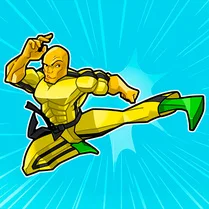
Common Core State Standards
Every game supports specific Common Core standards. Browse the full standards library.
Practice by Skill
Games by Grade
What is Obby: Ninja Simulator
Sharpen your reflexes and channel your inner shadow warrior. This is a fast-paced ninja parkour adventure where every leap counts.
How to Play
Use the arrow keys or WASD to move your ninja, and press the spacebar to jump. Aim for the next platform, time your jumps carefully to avoid hazards, and reach the end flag of each course to unlock new levels.
Tips for Playing
- Look ahead before you jump so you can plan your landing spot early.
- Time your jumps to sync with moving platforms instead of rushing them.
- Use short, controlled hops when platforms are close together to maintain momentum.
- When a wall-run section appears, keep moving forward without hesitation to make the grab.
- If you fall off, stay calm and retry the segment—it's often quicker to reset than to panic.
Frequently Asked Questions
What is the main goal in Obby: Ninja Simulator?
Your goal is to guide your ninja through each obstacle course and reach the end point without falling or being hit by hazards.
Can I play this game with a keyboard only?
Yes, the game is fully playable with a standard keyboard—use arrow keys or WASD to move and the spacebar to jump.
Are there different difficulty levels?
The game naturally ramps up in difficulty as you progress through levels, with later stages featuring more complex traps and tighter jumps.
Do I need to download anything to play?
No, Obby: Ninja Simulator runs right in your web browser with no installation required.
What happens if I get stuck on a particular level?
You can keep retrying the level as many times as you like. It's all about learning the pattern and perfecting your timing.
Is there a way to see my progress in the game?
Yes, the game tracks which levels you've completed, so you can easily see which ones you've conquered and which are still ahead.
Related Obby Parkour Games
 Italian Brainrot Obby Parkour
 Obby: Tower of Hell
 Aesthetic Obby
 Aesthetic World of Obby
 ROBUX Obby: Best parkour!
 Obby: Supereasy Parkour
 Obby Tower Parkour Climb
 Obby Sahur Parkour
 Obby Steal a Brainrot Playground
 Obby Parkour: Tower
 Obby but You're on a Pogo
 Super Easy Obby Parkour
 Obby: Tower Of Hell Parkour
 Obby: Anti Parkour
 Robbie: Easy Parkour Obby
 Legendary Obby +1 Block Per Second
 Obby Fruit Tower: Parkour!
 Obby Rides the Bike