Obby online with friends: Draw and Jump!
Every player gets a blank canvas and a drawing tool, turning level creation into part of the fun. Sketch out floating blocks, spinning hazards, and tricky gaps, then share your handcrafted course for others to tackle. The game flips between builder and runner modes, so you never know if you'll be crafting a deceptively simple pathway or facing a friend's devious invention. What makes this arcade title stand out is its social energy. You can hop into a session with pals, watch replays of their attempts, and even tweak your level based on where they stumble. With quick rounds and a laid-back vibe, it's perfect for a few minutes of playful competition—or an entire afternoon of inventing and jumping.
 WaffleMath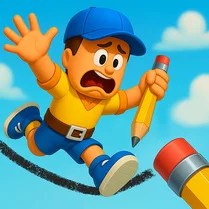
Common Core State Standards
Every game supports specific Common Core standards. Browse the full standards library.
Practice by Skill
Games by Grade
What is Obby online with friends: Draw and Jump!
Sketch, leap, and laugh with friends in this creative obstacle-course game. Every round becomes a brand-new challenge you've drawn yourself.
How to Play
Use your mouse or touch screen to draw platforms and obstacles during the building phase. Then switch to runner mode to jump across your creation using arrow keys or swipe controls.
Tips for Playing
- Start with simple, wide platforms to get comfortable before adding tricky gaps.
- Mix in a few moving hazards to catch your friends off guard.
- Test your own course first to make sure every jump is actually possible.
- Keep your drawn paths within the visible screen area so players don't lose track.
- Watch how others play your level—it's a great way to spot unfair spots.
Frequently Asked Questions
How do I create my own obstacle course?
During the building phase, simply draw platforms and obstacles on the screen using your mouse or finger. Once you're done, save your level and share it.
Can I play with friends online?
Yes, you can invite friends to a private room for a custom session, or join public lobbies to play with random players.
What controls do I use to jump?
On desktop, use the arrow keys or spacebar to jump. On mobile, tap the screen or swipe up to leap.
Is there a limit to how many platforms I can draw?
No strict limit, but drawing too many objects can make the course feel messy and harder to navigate, so keep it balanced.
Can I edit my level after publishing it?
Yes, you can return to the editing mode at any time to adjust your platforms, add new twists, and republish the updated version.
What happens if I fall off the course?
If you miss a platform and fall, you'll respawn at the last checkpoint you reached, giving you another chance to finish.
Related Obby Parkour Games
 Obby: Arena of Power
 Fortline! Obby Shooter
 Gunfight Arena: Obby shooter
 Parkour of Noobik: Obby Multiplayer
 Last to leave circle Obby
 Obby: Mini Games Against 1000!
 Obby Open World Online
![Play [Multiplayer] Obby: Parkour Platformer](https://cdn.wafflemath.com/game-source/multiplayer-obby-parkour-platformer/icon.webp) [Multiplayer] Obby: Parkour Platformer
[Multiplayer] Obby: Parkour Platformer Obby with Friends Online
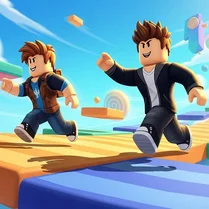 Obby: Battle Royale
 Obby: Mini Games with Friends
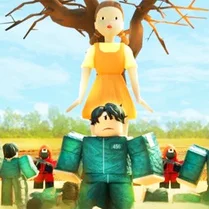 Obby: Squid Game All Modes Season 1
 Rainbow Obby Parkour: 4 Modes
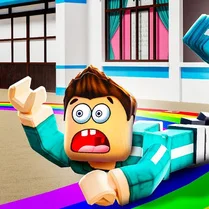 Obby the Squid Game Find Your Friends
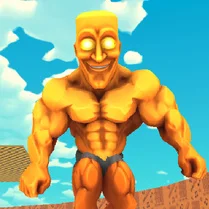 Obby online: 100 Players vs jock Tuntun Sahur
 Obby modes! Mini games and challenges
 Robux Party: Obby, Robby, Mini games!
 Obby with Friends: Hide And Seek Online