Obby: Crazy Bike 3D
Obby: Crazy Bike 3D drops you into a world of neon-colored courses where each turn and ramp presents a fresh challenge. The game focuses on balance and timing, asking you to guide your bike across narrow beams, over towering loops, and through suspended platforms. Its clever physics engine makes every landing feel weighty, and each level pushes you to refine your approach as you aim for the finish line. What sets this arcade adventure apart is the blend of puzzle-like route-finding with pure skill-based riding. You’ll learn to read the terrain, adjust your speed before a jump, and tilt your rider to keep the bike upright. With vivid environments and a steady difficulty curve, it offers a satisfying loop of trying, crashing, and finally nailing that tricky section. Whether you’re hunting for the perfect run or just exploring the obstacles, there’s always something new to master.
 WaffleMath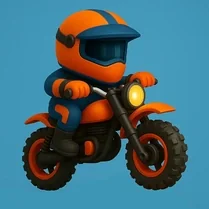
Common Core State Standards
Every game supports specific Common Core standards. Browse the full standards library.
Practice by Skill
Games by Grade
What is Obby: Crazy Bike 3D
Hop on a digital motorcycle and tackle a series of 3D obstacle courses that test your nerves and reflexes. Each level is a playground of ramps, gaps, and dizzying heights.
How to Play
Use the arrow keys or on-screen buttons to accelerate, brake, and shift your weight to keep the bike balanced. Touch or tap to perform tricks when launching off ramps, and aim for a smooth landing to keep your momentum.
Tips for Playing
- Let off the gas slightly before a gap to ensure you clear it without overshooting.
- Keep your rider leaning back on takeoff to avoid nose-diving after big jumps.
- Use the brake to slow down on narrow ledges—patience beats speed there.
- Watch the terrain ahead and adjust your speed early, not at the last second.
- Try to land with both wheels parallel to the ground to avoid losing control.
- Replay tough levels to memorize the layout and find the smoothest line.
Frequently Asked Questions
How many levels are in Obby: Crazy Bike 3D?
The game features a lengthy set of levels, each with unique obstacles and increasing difficulty. There’s no final count, but you’ll find plenty to work through.
Can I save my progress?
Yes, your progress is saved automatically in your browser, so you can pick up where you left off on your next visit.
What are the controls?
You control the bike with arrow keys or on-screen buttons for gas, brake, and balance. On mobile, use touch gestures to do the same.
Is the game playable on mobile devices?
Absolutely. Obby: Crazy Bike 3D is designed to work on touchscreens, so you can ride on your phone or tablet without any issues.
Do I need to download anything?
No downloads required. The game runs directly in your web browser, making it easy to jump in and play.
Why do I keep crashing on the loops?
Loops require a steady approach—build up enough speed before the loop and keep your bike upright. Try adjusting your throttle as you go up.
Related Racing Games
 Obby Parkour Bike
 Noob: Obby on a Bike
 Bike of Hell: Speed Obby on a Bike
 Noob Obby: +1 Bike Speed
 Bike Stick
 Obby Rides the Bike
 Find Sprunks Obby Bike
 Bike Training!
 Dirt Bike Extreme Parkour
 Downhill Bike Rush 3D
 Obby Monster Truck
 Obby but You're on a Bike
 Real Crash Bike
 Moto X3M
 Fun Obby
 Moto X3M 2
 Short Ride
 Italian Brainrot Obby Parkour