Obby: Climb for Brainrots!
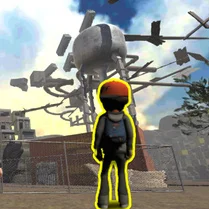
Obby: Climb for Brainrots! turns the classic platforming genre on its head with a playful, offbeat twist. You'll guide your character up a bizarre, ever-shifting tower packed with moving platforms, swinging pendulums, and surprise gaps that demand quick reflexes. The levels are designed to keep you on your toes, mixing precision leaps with a dose of chaotic fun that never feels repetitive. What starts as a simple climb quickly evolves into a test of patience and timing. Each stage introduces new mechanics, from crumbling blocks to springy pads, ensuring you're always learning something new. Whether you're a seasoned jumper or just in for a laugh, the game's colorful visuals and snappy controls make it easy to pick up but hard to master. Reach the top, avoid the pitfalls, and enjoy the ride—this is one climb you won't forget.
 WaffleMath
Common Core State Standards
Every game supports specific Common Core standards. Browse the full standards library.
Practice by Skill
Games by Grade
What is Obby: Climb for Brainrots!
Gear up for a vertical adventure that's as silly as it is challenging. With its unpredictable level design and quirky vibe, Obby: Climb for Brainrots! invites you to conquer a tower of pure chaos.
How to Play
Use the arrow keys or WASD to move and jump, and press the spacebar to perform special moves. Your goal is to navigate each obstacle and reach the glowing checkpoint at the top of the tower.
Tips for Playing
- Look ahead before making a jump—some platforms move or disappear.
- Time your leaps carefully when using spring pads to avoid overshooting.
- Use the wall-jump technique to reach higher ledges when the path gets tricky.
- Don't rush; patience often beats speed in the later levels.
- Memorize the pattern of swinging obstacles to slide through safely.
Frequently Asked Questions
Is Obby: Climb for Brainrots! a multiplayer game?
No, it's a single-player experience focused on your own parkour skills.
What are the controls on a keyboard?
Use WASD or arrow keys to move, and the spacebar to jump or wall-jump.
How many levels are there?
The game features a series of increasingly difficult floors, with the exact count varying by update.
Can I skip a level if I get stuck?
There's no built-in skip, but restarting a level from a checkpoint is always an option.
Is the game available on mobile devices?
It's designed primarily for desktop browsers, but touch controls work on some tablets.
Related Obby Parkour Games
 Obby Tower Parkour Climb
 Obby Fruit Tower: Parkour!
 Neon Obby: Parkour
 Obby Robby: Only up!
 Italian Brainrot Obby Parkour
 2000 Stairs to VIP Obby
 Obby: Tower of Hell
 Aesthetic Obby
 Aesthetic World of Obby
 ROBUX Obby: Best parkour!
 Obby: Supereasy Parkour
 Climb and Jump - Obby Tower
 Obby Sahur Parkour
 Only Up Obby
 Obby Steal a Brainrot Playground
 Obby: Climb and Jump
 Obby: Climb and Slide
 Obby Parkour: Tower