Obby: Build a Prison
Obby: Build a Prison flips the classic obstacle course formula by putting the creative controls in your hands. You start with a blank canvas where you can construct staircases, traps, walls, and other tricky segments to shape a custom prison break gauntlet. Once your layout is ready, you can jump in and test it yourself, or share your map and step into the shoes of a prisoner trying to survive someone else's handiwork. The experience blends level editing with platforming precision, giving every playthrough a different flavor depending on who built the course. Beyond the building tools, the core loop stays true to the obby genre: run, leap, and climb your way from start to finish without falling or getting stuck. Each course demands careful timing and spatial awareness, especially when the creator has thrown in moving obstacles or unexpected gaps. Whether you prefer methodical design or fast-paced escape attempts, this arcade title invites you to trade roles and push your skills in both construction and execution.
 WaffleMath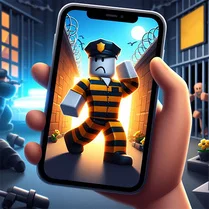
Common Core State Standards
Every game supports specific Common Core standards. Browse the full standards library.
Practice by Skill
Games by Grade
What is Obby: Build a Prison
Step into the warden's chair to design a custom prison-themed obstacle course, or switch sides and attempt to break out of a map crafted by someone else. The choice of builder or escapee is yours in every session.
How to Play
Use the available building tools to place blocks, stairs, and hazards, then arrange them into a course. Once your map is ready, control your character to run, jump, and climb through the path, aiming to reach the finish without falling.
Tips for Playing
- Place checkpoints sparingly to keep the challenge fair, but don't overuse them or the course loses its tension.
- Test your own map after building a section to spot impossible jumps or frustrating gaps.
- Use different block heights to create rhythm in the platforming, mixing easy and tough segments.
- Watch for moving traps in other players' maps—timing your jumps is more reliable than rushing through.
- Start with a simple layout if you're new to building, then add complexity once you understand the flow.
Frequently Asked Questions
Can I play maps made by other players?
Yes, you can browse or select player-created courses and attempt to escape them. This adds variety and replay value.
Is there a limit to how many blocks I can place?
Most versions have a block limit to ensure performance and fairness, so plan your design carefully within that cap.
What happens if my character falls off the edge?
You'll typically respawn at the last checkpoint you passed, losing some progress but not ending the run.
Can I save my custom prison maps?
Yes, many versions allow you to save your creations locally or to your account so you can revisit or share them later.
Does the game work on mobile devices?
It often does, but building and precise jumping can be trickier on touch controls. A mouse or stylus is recommended for design.
How do I unlock new building pieces?
You typically start with a basic set and earn or purchase additional pieces by completing maps or reaching milestones.
Related Sandbox Building Games
 Obby: Build a Plane 100% Original
 Obby Prison Escape from Barry
 Obby: Escape from Barry Prison
 Prison Architect: Cage Break Tycoon
 Obby: +1 Prison Escape Speed
 Obby: Parkour Prison Escape
 Obby: Escape from Circus Prison
 Obby Escape from a scary prison!
 Obby High-speed escape from Brainrot Prison!
 Obby Prison Escape
 Obby: Prison Escape Simulator
 Obby Building: Hotel
 Obby Tower: Prison
 Obby Cat escape from Prison
 Build an Obby! Creative Tycoon Magnate 100% +1 3D
 Jailbreak obby for two players
 Mega Obby Prison Barry Escape
 Obbie: Prison Break - Original