Nuts & Bolts: Screw Puzzle
Nuts & Bolts: Screw Puzzle turns mechanical assembly into a calming yet sharp mental workout. Instead of a static jigsaw, you face a pile of metallic components—screws, washers, plates, and cogs—that once formed a working contraption. Your job is to study the slots, threads, and notches on the base structure, then rotate and slide each piece until it fits snugly. There’s no timer rushing you, so you can take your time to examine how the parts interlock, making each successful connection feel earned. As you progress, the machines grow more complex, introducing layered assemblies and interlocking sequences that require careful planning. The tactile feedback of a soft click when a component locks in place offers a satisfying reward for your patience. With its clean visuals and intuitive controls, this puzzle invites you to lose yourself in the satisfying rhythm of turning, fitting, and completing each mechanical build.
 WaffleMath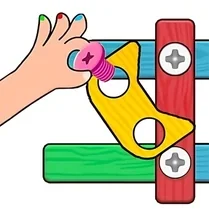
Common Core State Standards
Every game supports specific Common Core standards. Browse the full standards library.
Practice by Skill
Games by Grade
What is Nuts & Bolts: Screw Puzzle
Dive into a world of tangled hardware and satisfying clicks. Reassemble broken machines piece by piece and feel the calm focus that comes from solving a hands-on puzzle.
How to Play
Drag or tap a component to rotate it, then move it around until the connector lines up with a matching slot on the base. Once aligned, the piece will lock in place and you can move on to the next.
Tips for Playing
- Start by identifying the largest anchor pieces, as they often define the structure's framework.
- Rotate a screw or bolt fully before attempting to place it—threads need to align perfectly.
- If a piece won't click, try moving it away and repositioning; sometimes the angle is just slightly off.
- Look for color-coded or shape-matched connectors to guide your assembly.
- Take a break if you're stuck; a fresh view often reveals the solution instantly.
Frequently Asked Questions
Is there a time limit in each level?
No, you can take as long as you need. The goal is to solve the puzzle at your own pace.
What happens if I place a wrong piece?
Incorrect placements simply won't click, so you can try again without penalty. There's no penalty for mistakes.
Are there hints available?
Some versions include a hint button or a zoom feature to help you see details. Check the in-game menu for these options.
How do I rotate a piece on mobile?
On touch devices, tap the piece to select it, then use a two-finger twist or a dedicated rotate button to spin it.
Can I replay levels?
Yes, completed levels are usually accessible from the level select screen, letting you revisit them anytime.
Do I need to know how real machines work?
Not at all. The logic is based on shape matching and spatial reasoning, not engineering knowledge.
Related Puzzle Games
 The Blueprints
 Nuts and Bolts
 Screw Puzzle Odyssey
 Screw Puzzle: Twist Your Mind
 Screws & Bolts
 Shape Fold
 Screw Puzzle: Nut and Bolt
 Knife Hit
 Bolts and Nuts
 Survival in the world of machines
 Bolts and nuts - puzzle
 Bolts & Nuts Wood Screw Puzzle
 Boxes & Mechanisms
 Screw Nuts and Bolts
 Connect the Pipes: Water Puzzle
 Tighten bolts and nuts
 Bolts Puzzle: Nuts & Screw Pin
 Gear Madness