Nooby And Obby 2 - Player
Nooby And Obby 2 - Player is a two-person platforming challenge that tests your teamwork and timing. Each stage is a series of obstacle-strewn paths, with swinging hammers, vanishing tiles, and wide gaps that demand careful coordination. You and your partner must move in sync, often relying on one another to trigger switches or provide a boost to reach higher ledges. The game ramps up the difficulty steadily, keeping the pressure on without becoming frustrating. What makes this title stand out is the shared focus on communication and trust. Every level feels like a small puzzle in motion, where success depends on your ability to plan a route together. The cheerful visuals and responsive controls keep the mood light, even when you miss a jump and have to start a section over. It's a solid pick for casual sessions with a friend, offering a satisfying sense of accomplishment with each clear.
 WaffleMath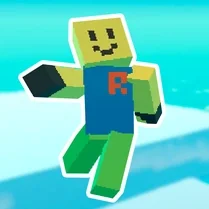
Common Core State Standards
Every game supports specific Common Core standards. Browse the full standards library.
Practice by Skill
Games by Grade
What is Nooby And Obby 2 - Player
Nooby And Obby 2 - Player is a cooperative arcade platformer where you and a friend tackle obstacle courses together. Clear each level by timing your moves and supporting each other through every tricky stretch.
How to Play
Control one character with the keyboard, while your friend handles the other. Move, jump, and interact with objects to navigate each course, working together to reach the exit.
Tips for Playing
- Communicate before making a jump so your partner knows when to move a platform.
- Watch for moving obstacles and time your runs between their cycles.
- Use one player as a stationary base to help the other reach high ledges.
- If a section feels too fast, slow down and study the pattern before committing.
- Restarting a level after a mistake is often faster than trying to recover mid-course.
Frequently Asked Questions
Do I need two players to play?
Yes, the game is designed for two players on the same device. Each controls one character and must cooperate to clear levels.
How do I control my character?
One player uses the WASD keys for movement and jumping, while the other uses the arrow keys. Check the in-game instructions for exact buttons.
Can I play with a gamepad?
Keyboard controls are the standard, but some browsers or setups may allow gamepad mapping. Refer to your browser's or system's controller settings.
What happens if we fall off the course?
Your character respawns at the last safe checkpoint, and you can try again. Coordination is key to avoid repeated falls.
Is there a save feature?
Progress is typically saved within the browser session, so returning to the game may reset your current level unless you complete it.
Are there any assists for beginners?
The early levels are simpler and serve as tutorials for basic moves. Later stages introduce more complex mechanics gradually.
Related Obby Parkour Games
 Angry Boy Pedro and His Friend
 Crunchy & Freckles
 Dandy World with a friend!
 Senya and Oscar
 Fireboy and Watergirl
 Fireboy and Watergirl 3: Ice Temple
 Duo Water and Fire
 Lucky blocks obby for two players
 Brother Together
 Huge ball for two
 Jailbreak obby for two players
 Noob vs Pro Story
 Poison Candy: Obby 2-Player
 Red and Blue Stickman Huggy
 Snowy Adventures with Noob and Pro!
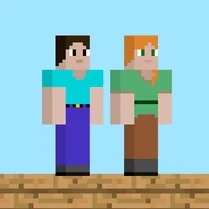 Steve and Alex
 Two Goblin Brothers. The apocalypse!
 Only Up