Noob's Shop: 3D
Noob's Shop: 3D drops you into the role of a shopkeeper in a bright, chunky 3D world. Your goal is simple: keep the shelves stocked, the customers smiling, and the cash register ringing. As you serve a steady stream of quirky shoppers, you'll earn coins that let you upgrade your store's layout, add new product lines, and boost your reputation. The game strikes a nice balance between fast-paced service and thoughtful planning, making each shift feel rewarding whether you have five minutes or an hour to spare. The real charm lies in the details—watching customers wander in, grab their items, and react to your service creates a lively atmosphere. You'll juggle multiple tasks, from restocking to handling payments, and every satisfied customer brings you closer to expanding your little empire. With its simple controls and cheerful visuals, Noob's Shop: 3D is an easy pick-up-and-play experience, but mastering it takes a bit of strategy. Will you prioritize speed or customer satisfaction? The choice is yours as you build the ultimate shopping destination.
 WaffleMath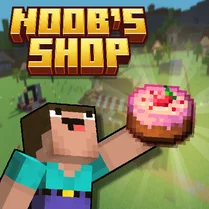
Common Core State Standards
Every game supports specific Common Core standards. Browse the full standards library.
Practice by Skill
Games by Grade
What is Noob's Shop: 3D
Run your own vibrant 3D store, serve a parade of customers, and watch your business grow from a tiny shop into a thriving hub.
How to Play
Use your mouse or touch controls to interact with customers, grab items from shelves, and process purchases at the register. Keep an eye on stock levels and customer patience to keep the flow moving smoothly.
Tips for Playing
- Always restock shelves before they run completely empty to avoid losing sales.
- Prioritize customers who are waiting the longest to keep their patience from running out.
- Upgrade your store's layout to reduce walking distance between shelves and the register.
- Learn the popular items early—they sell fast, so keep them well-stocked.
- Watch for special customer requests; fulfilling them quickly earns bonus rewards.
Frequently Asked Questions
How do I make more money in the game?
Sell more items by keeping shelves full and serving customers quickly. Upgrading your store can also attract more shoppers.
Can I pause the game?
Yes, most sessions allow you to pause, which helps when you need a break or want to plan your next move.
What happens if a customer waits too long?
They may leave unhappy, which reduces your score and can lower your reputation. Aim to keep wait times short.
Are there different types of customers?
Yes, some customers are in a hurry, while others buy larger quantities. Each behaves a bit differently, so adapt your service style.
How do I unlock new items for my shop?
As you earn coins and level up, you can purchase new products and upgrades from the shop menu.
Is the game suitable for short play sessions?
Definitely. The game is designed for quick rounds, but you can also play for longer stretches if you want to grow your shop faster.
Related Simulation Tycoon Games

 Monkey Mart
 Hardware Tycoon
 My Perfect Hotel
 Towntopia
 Football Manager
 Supermarket Simulator: The Original
 24 Hours in the Store Challenge!
 Your Aquapark 2025
 Mansion Tycoon
 SuperMarket Store Simulator
 Business Simulator 4
 Game Store Simulator
 Car Dealer 2025
 Fast Food Simulator: Burger Empire!
 My Waterpark
 Big Farm
 Food Truck: Cooking Games
 Global City