Noob vs Hacker Jailbreak
Noob vs Hacker Jailbreak drops you into a pixelated penitentiary where the warden is a rogue hacker. Instead of a routine escape, every corridor holds a new puzzle, and each door is locked behind a logic challenge. The hacker watches your every move, deploying tripwires, laser grids, and false panels to keep you contained. You'll need to think fast and move quicker, because hesitation means getting caught and starting over. As you progress, the facility reveals its secrets: hidden switches, movable crates, and timing-based obstacles that demand precision. The game blends arcade reflexes with brain-teasing mechanics, ensuring no two escape attempts feel the same. With each solved puzzle, you inch closer to freedom, but the hacker's traps grow more devious. Can you outsmart a digital adversary and claim your liberty, or will you become another failed breakout statistic?
 WaffleMath
Common Core State Standards
Every game supports specific Common Core standards. Browse the full standards library.
Practice by Skill
Games by Grade
What is Noob vs Hacker Jailbreak
Noob vs Hacker Jailbreak is a fast-paced arcade puzzle game where you play a prisoner trying to outwit a relentless digital foe. Navigate a maze of traps and puzzles to make your great escape.
How to Play
Use arrow keys or WASD to move your character through the facility. Interact with switches and objects to solve puzzles, and avoid the hacker's traps to reach the exit of each level.
Tips for Playing
- Study each room before moving; traps are often triggered by your path.
- Use movable objects to block laser beams or pressure plates.
- Solve puzzles methodically—rushing leads to mistakes.
- Watch for patterns in the hacker's trap placement; they repeat.
- If you get stuck, look for hidden switches in walls or under platforms.
Frequently Asked Questions
What is the main objective of Noob vs Hacker Jailbreak?
Your goal is to escape from a high-tech prison by solving puzzles and avoiding traps set by a hacker.
How do I control my character?
You use keyboard controls—typically arrow keys or WASD—to move, and you interact with objects using a specific key (like E or Space).
Are there multiple levels in the game?
Yes, the game features several levels, each with increasing difficulty and new trap mechanics.
Can I save my progress?
Progress is usually saved automatically after completing levels, so you can resume from the last unlocked stage.
What happens if I get caught by a trap?
If a trap hits you, you'll lose a life or restart the current level, depending on the game's rules.
Is this game suitable for puzzle lovers?
Absolutely—it blends arcade action with logic puzzles, making it appealing to fans of both genres.
Related Escape Hidden Games
 Noob and Pro vs Warden
 Noob escape from the Millionaire's prison
 Noob: Zombie Prison Escape
 Save The Noob: Prison Break
 Noob Escape from jail
 Noob: Escape from Secret Prison 2
 Noobik and Soft girls: Prison Escape!
 Escaping the Prison
 Escape from Barry: Prison Adventure
 Barry Prison: Parkour Escape!
 Prison Escape: Exit Room Game
 Barry Prison Run
 Grand Escape: Prison
 Baby in Yellow: Prison
 Escape from a secure prison 3D
 Prison Break - For Two Players
 Prison Life Police Station
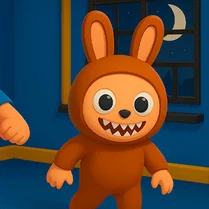 Labubu Prison Escape