Mini Golf Game 3D
Tee off on a series of creatively designed holes where mastering the slope, speed, and spin of each shot is key. The 3D perspective gives you a clear view of every curve and obstacle, letting you plan your approach before you swing. Whether you're aiming for a hole-in-one or just hoping to avoid the rough, the responsive controls make every stroke feel satisfying. Each course presents its own set of challenges, from tricky angles to moving elements, ensuring that no two rounds play the same. The clean visuals and smooth performance create an immersive experience that's easy to pick up but hard to put down. Perfect for quick play sessions or longer tournaments, this game rewards careful observation and steady hands.
 WaffleMath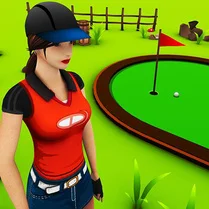
Common Core State Standards
Every game supports specific Common Core standards. Browse the full standards library.
Practice by Skill
Games by Grade
What is Mini Golf Game 3D
Step onto the green and put your skills to the test in a fully 3D mini golf experience. With realistic ball physics and inventive holes, it's a delightful challenge for casual players and perfectionists alike.
How to Play
Aim your shot by dragging or moving the pointer to set direction and power, then release to send the ball rolling. Watch the terrain carefully and adjust for slopes and obstacles to sink the ball in as few strokes as possible.
Tips for Playing
- Take a moment to study the hole's layout before you swing—look for the safest path to the cup.
- Factor in the slope of the green; a gentle tap often works better than a hard hit on uphill lies.
- Use the walls to your advantage on sharp corners instead of attempting risky direct shots.
- Watch for moving obstacles and time your putt to pass when they're out of the way.
- Practice your power control on flat holes to get a feel for the speed needed on different surfaces.
Frequently Asked Questions
What devices can I play this game on?
The game runs in most modern web browsers, so you can enjoy it on a desktop, laptop, or mobile device with a compatible browser.
Are there multiple courses to play?
Yes, there are several courses, each with its own set of holes and unique challenges to overcome.
How do I control the power of my shot?
You adjust the power by dragging further from the ball or holding the aim button longer—the exact method is shown in the game's tutorial.
Can I skip a hole if I'm stuck?
Typically, you can retry or move on after a set number of strokes, depending on the game's mode. Check the pause menu for options.
Is there a scoring system?
Yes, each hole counts your strokes, and your total score is tracked across the course, just like in real mini golf.
Does the physics feel realistic?
The game simulates ball roll, friction, and collision, giving a satisfying and believable feel to every putt.