McQueen versus Jackson Storm, coloring
This coloring game puts you in the driver's seat of your own artistic pit crew. Instead of racing around a track, you'll take your time applying custom colors to the sleek bodies of two famous racing rivals. The detailed outlines capture every curve and decal of the cars, giving you a canvas that feels true to the high-octane world they come from. Whether you prefer bold, aggressive shades for Jackson Storm or classic, iconic reds for Lightning McQueen, the choice is yours. You can experiment with different color combinations to invent entirely new looks for these champions. The activity is designed to be a calm, stress-free way to engage with the characters, perfect for fans who enjoy a more artistic take on the speedway.
 WaffleMath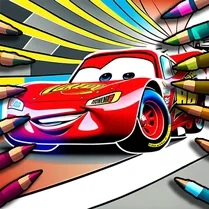
Common Core State Standards
Every game supports specific Common Core standards. Browse the full standards library.
Practice by Skill
Games by Grade
What is McQueen versus Jackson Storm, coloring
Get ready to trade the checkered flag for a paintbrush. In this coloring game, you'll bring two legendary race cars to life with your own color choices.
How to Play
Select a color from the palette and click or tap on the areas of the car you want to fill. You can switch colors and refine your work until you're satisfied with the final design.
Tips for Playing
- Start with lighter colors for the base and layer darker shades for depth.
- Use contrasting colors for the decals and numbers to make them stand out.
- Experiment with unusual color combinations to create a unique custom look.
- Take your time and color in small sections to stay within the lines.
- If you make a mistake, look for an undo button to easily revert your last change.
Frequently Asked Questions
Can I print my finished coloring page?
That depends on the specific browser and device you're using. The game itself may not have a print button, but you can often use your browser's print function to save a copy.
Is there a limited number of colors I can use?
The palette typically includes a decent range of colors, but it might not include every single shade. You'll have plenty of options to get creative.
Can I undo a color I applied by mistake?
Many coloring games include an undo option, so keep an eye out for an arrow button. If it's not there, you might have to start over or live with it.
Does this game require any special skills?
No, coloring is a simple activity that anyone can enjoy. It's all about choosing colors and clicking or tapping on the areas you want to fill.
Will the game work on my mobile device?
It has been designed to play in a web browser, so it should work on both desktop and mobile devices as long as your browser supports it.
Related Art Coloring Games
 3D Coloring Book: Cars
 Cars coloring game for boys
 Cars coloring pages
 Coloring book - cars and trucks
 Coloring book - transport and cars
 Coloring in the World of Cars
 Traffic Jam 3D
 Drift Hunters
 Rocket Soccer Derby
 Drive Mad
 Traffic Escape
 Crazy Cars
 Parking Fury 2
 M5 Traffic Racer
 Highway Traffic
 Drift Boss
 Battle Wheels
 Formula 1: On the Grid!