Mahjong: Fruit Connect
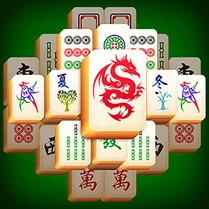
Mahjong: Fruit Connect puts a fruity spin on the classic tile-matching formula. Instead of traditional symbols, you'll find a delightful assortment of fruits—from apples and oranges to more exotic options—each waiting to be paired. The goal is straightforward: clear the entire board by selecting two tiles that share the same fruit and are free on at least one side. This simple rule hides a deeper layer of strategy as you navigate the layered stacks and plan your moves ahead. The game's vibrant visuals and smooth, intuitive controls make it easy to pick up, yet the puzzle design keeps you thinking. Each board presents a fresh arrangement, demanding careful observation and foresight. Whether you're playing for a quick mental break or aiming for a perfect clear, the game offers a satisfying balance of relaxation and brain-teasing fun. With no time pressure, you can take your time to analyze every possibility—but beware, running out of matches can leave the board stuck, so thoughtful pairing is key.
 WaffleMath
Common Core State Standards
Every game supports specific Common Core standards. Browse the full standards library.
Practice by Skill
Games by Grade
What is Mahjong: Fruit Connect
If you enjoy classic tile-matching puzzles with a juicy twist, Mahjong: Fruit Connect is for you. It's a laid-back yet engaging game that challenges your observation and planning skills.
How to Play
Click or tap on a fruit tile to select it, then choose a matching tile that is free on its left or right side to make a pair. Clear all tiles to complete the level and advance.
Tips for Playing
- Prioritize clearing tiles that block others, especially those at the top of stacks.
- Scan the entire board before making a move to spot hidden matches.
- Avoid pairing tiles that are on top of many others unless you have a clear path.
- Use the hint feature if you're stuck, but try to solve on your own for more satisfaction.
- Keep an eye on the remaining free tiles to ensure you don't run out of options.
Frequently Asked Questions
What does 'free on at least one side' mean?
A tile is free if its left or right edge is not touching another tile, and there is no tile on top of it. You can only select such tiles.
Can I undo a move?
Yes, the game includes an undo feature that lets you reverse your last move, which is handy for correcting mistakes or rethinking strategy.
What happens if I run out of matches?
If no free tile pairs remain, the game ends. You can restart the level or use a shuffle option if available to rearrange the tiles.
Are there different levels or boards?
Yes, the game features multiple levels with unique tile arrangements, each increasing in complexity and offering new challenges.
Is there a time limit?
No, there is no time pressure. You can play at your own pace and think through each move carefully.
Can I play on my mobile device?
Yes, the game is designed to work on both desktop and mobile browsers, with touch controls for smartphones and tablets.
Related Card Board Games
 Mahjong Kingdom
 Room Escape:Mahjong Match
 Mahjong Mania
 Mahjong Four Rivers
 Mahjong Lines
 Mahjong Candy Connect
 Mahjong: A map of colourful adventures
 Mahjong: Funny Animals
 Mahjong Live Butterflies
 Best Mahjong
 Mahjong for free
 Classic Mahjong
 Mahjong Quest
 Tarantas
 Amusing Mahjong
 Mahjong Flowers
 Mahjong Solitaire
 Rainbow Circle Boy