Image Cards: Sort & Classify
Image Cards: Sort & Classify turns your screen into a bustling workspace where a steady stream of cards with different pictures flows past. Each card shows something with a distinctive visual trait, like a particular color, shape, or subject matter. Your job is to grab those cards and drop them into the proper bin, but the trick is that the categories aren't always obvious. Sometimes you're sorting by hue, other times by what the object looks like, and occasionally you have to think more abstractly about the theme. As you progress, the pace picks up and more cards appear at once, forcing you to make split-second decisions. It's a gentle workout for your brain, sharpening your ability to notice details and categorize quickly. There are no penalties for taking a moment to think, but the faster you sort, the better your score. Whether you're looking for a light mental stretch or a way to pass the time, this game offers a satisfying combination of speed and logic.
 WaffleMath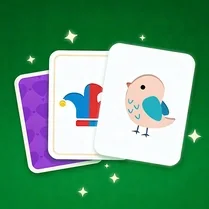
Common Core State Standards
Every game supports specific Common Core standards. Browse the full standards library.
Practice by Skill
Games by Grade
What is Image Cards: Sort & Classify
Image Cards: Sort & Classify is a visual puzzle that puts your perception to the test. Drag, drop, and prove how well you can spot differences in just a glance.
How to Play
Use your mouse to click and drag each image card into the bin that matches its visual category. Keep sorting as the cards keep coming, and try to be both quick and correct.
Tips for Playing
- Take a quick glance at all the bins before you start to get a sense of possible categories.
- Focus on the most obvious visual clue first, whether it's color, shape, or the object itself.
- Don't rush—accuracy matters more than speed early on, and you'll naturally get faster with practice.
- If you're unsure, look for subtle differences like patterns or small details in the image.
- Try to group cards in your mind to form a rhythm, which helps you sort faster as the pace increases.
Frequently Asked Questions
How do I control the game?
You control everything with your mouse or touchpad by clicking and dragging the cards into the correct bins. It's straightforward and works on any device with a browser.
What kinds of categories are there?
Categories can be based on color, shape, the type of object (like animals or vehicles), or even more abstract themes. Each round introduces new ones to keep you on your toes.
Is there a time limit?
There isn't a strict timer, but the speed of the cards increases as you play. If you take too long, cards might pile up, so it's wise to keep moving.
Are there different levels?
Yes, the game gradually becomes more difficult by adding more cards and more complex categories. Each level offers a new challenge to your sorting skills.
Can I pause the game?
It depends on the version you're playing. Usually, you can pause by closing the menu or stopping the game, and you'll resume where you left off.
Does the game work on mobile?
Yes, it's designed to work in any modern browser, so you can play on a phone or tablet by dragging the cards with your finger.
Related Puzzle Games
 Bolts and Nuts Color Sorting
 Candy Sorting: Sweet Puzzle
 Card Sorting
 Emojing Sort
 Fruit Sort Puzzle
 Hexa Sorting
 Hexa Sort Tiles
 Item sort - Sorting things out
 Kitty Sorting
 Perfect Order: Sorting Items
 Rope Sorting
 Screaming Memes: Sorting Cats
 Screws and Buses: Sorting puzzle
 Shelf Sweep
 Shelves: sort desserts
 Slime Sorting
 Sort a Hex
 Poker Online