GTA Russian Racing
This game drops you into a raw, industrial cityscape where every corner hides a potential shortcut or a sudden obstacle. You're not here for a scenic tour—you're here to prove you can handle the chaos of tight alleyways, crowded intersections, and relentless pursuit. The atmosphere is thick with tension, from the graffiti-covered walls to the distant sirens, making every session feel like a high-stakes getaway. Your goal is straightforward: outrun the law and reach the finish line before time runs out. But the real challenge lies in balancing speed with control. Slam the throttle on straightaways, then brake hard for sharp turns. Watch for pedestrians, parked cars, and unexpected roadblocks. With practice, you'll learn to read the streets like a local, turning the city's unpredictability into your advantage. Whether you're a rookie or a seasoned racer, the game rewards quick reflexes and smart risk-taking.
 WaffleMath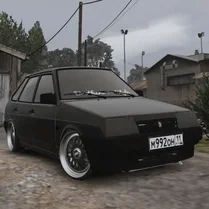
Common Core State Standards
Every game supports specific Common Core standards. Browse the full standards library.
Practice by Skill
Games by Grade
What is GTA Russian Racing
Jump into the driver's seat for a gritty street racing experience set in a raw urban landscape. Master the roads, dodge the cops, and earn your reputation as the fastest wheel in town.
How to Play
Use the arrow keys or WASD to steer and accelerate, and the space bar for handbrake turns. Follow the on-screen route markers to reach the next checkpoint while staying ahead of pursuing police cars.
Tips for Playing
- Memorize the map layout to spot shortcuts that bypass traffic jams.
- Use the handbrake to slide through sharp corners and maintain speed.
- Keep an eye on the minimap to avoid dead ends and police roadblocks.
- Collect coins or bonuses scattered on the road to boost your score.
- Don't panic when cops appear—stay calm and weave through side streets.
Frequently Asked Questions
What platforms support GTA Russian Racing?
The game runs in any modern web browser, so it works on desktop and laptop computers. Mobile support may vary depending on your device.
How do I control the car?
You can use the arrow keys or WASD for steering and acceleration. The space bar activates the handbrake for sharp turns.
Can I pause the game?
Yes, you can pause by pressing the Esc key or the pause button on the screen. This freezes the action so you can take a break.
What happens if I crash too many times?
If your car takes too much damage, it will slow down or become inoperable, forcing you to restart the level. Avoid heavy collisions to keep your vehicle in top shape.
Is there a way to earn extra points?
Yes, look for scattered coins or bonus items during races. Collecting them increases your score and can unlock achievements.
Does the game have different difficulty levels?
The game automatically adjusts the challenge as you progress through levels, with more traffic and aggressive police appearing later on.
Related Racing Games
 Police Chase Simulator Online
 Need For Speed: Police Pursuit
 Car vs cops
 Police Chase Drifter
 Mad Pursuit: Police Chase Game
 Russian Car: Simulator
 Mega Stunts: GTA 5 Online
 Get away from the police
 GTA 5: Flying by Car
 Police Car
 Cops Escape
 GTA: Smash the Car to Pieces!
 GTA: Missions and Robberies
 Car Crash: GTA Cars
 Scuf Simulator in Russia
 Call Tralalala Tralala, no la polic
 Car Heist Run
 Car Parking Simulator - Russia