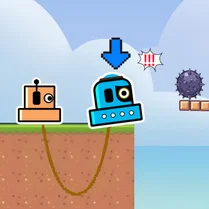
Grab the toy
This is a test of timing and precision where you take charge of a mechanical claw hovering over an ever-shifting line of plush toys. The conveyor belt never stops, so you have to watch the rhythm and strike at the perfect moment to latch onto a prize. As you progress, the belt picks up speed and tricky barriers start appearing, making every successful snatch feel earned. It's the kind of game that hooks you with its straightforward premise and then keeps you on your toes with its escalating pace. The visuals are clean and playful, but the challenge is real. Whether you're trying to beat your own high score or just passing time, the steady stream of toys and obstacles creates a satisfying loop that's easy to jump into and hard to put down.
 WaffleMath
Common Core State Standards
Every game supports specific Common Core standards. Browse the full standards library.
Practice by Skill
Games by Grade
What is Grab the toy
Take control of a claw machine and test your reflexes as you snatch toys from a moving belt. It's a simple idea that quickly turns into a fast-paced challenge.
How to Play
Use your mouse or keyboard to position the claw over a toy, then press the action button to drop it and grab. Time your moves carefully to avoid obstacles that block the claw.
Tips for Playing
- Wait for a toy near the edge of the belt to maximize your grab window.
- Watch the speed of the belt and predict where a toy will be when the claw drops.
- Don't rush; a hasty grab can miss and leave you vulnerable to a nearby obstacle.
- Prioritize grabbing toys when the belt is slower, especially in early levels.
- If an obstacle appears, wait for it to pass rather than trying to force a grab.
Frequently Asked Questions
What is the main objective in Grab the toy?
The goal is to collect as many toys as possible by using the claw while avoiding obstacles that block your path.
How do I control the claw?
You use the mouse or keyboard to move the claw side to side and press the action button to drop it and attempt a grab.
What happens if I hit an obstacle?
Hitting an obstacle can block the claw, causing you to miss the toy or lose progress, so it's best to avoid them.
Does the game get harder?
Yes, the speed of the conveyor belt increases over time, and new obstacles appear more frequently, making each round more challenging.
Can I play this game on my phone?
Yes, the game is designed to work on touch screens, so you can play it on your phone or tablet with simple taps.
Is there a way to practice without pressure?
There isn't a practice mode in the game, but starting from the beginning gives you a chance to get used to the timing before it speeds up.