Fluffy Mahjong 3D. Disassemble The Cube
Fluffy Mahjong 3D. Disassemble The Cube flips the classic tile-matching formula into a playful three-dimensional arena. Instead of a flat board, you face a cube covered in adorable, plush-like tiles that slowly spin, giving you a fresh viewpoint with every turn. The goal is simple: spot two matching fluffy tiles, tap them, and watch them vanish. But the twist is that only tiles on the outer layer are accessible, so a keen eye and strategic planning are essential to clear the cube before the timer runs out. As the cube rotates, new possibilities and obstacles emerge, forcing you to think ahead while reacting to the shifting geometry. The cheerful pastel palette and soft, tactile visuals make each successful match satisfying, while the escalating challenge keeps you on your toes. Whether you're a seasoned mahjong fan or a newcomer, the cube's dynamic structure offers a delightful twist that rewards both patience and quick thinking. So spin the cube, find your pairs, and chip away at the fluffy fortress until nothing remains.
 WaffleMath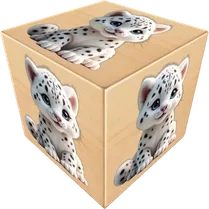
Common Core State Standards
Every game supports specific Common Core standards. Browse the full standards library.
Practice by Skill
Games by Grade
What is Fluffy Mahjong 3D. Disassemble The Cube
Fluffy Mahjong 3D. Disassemble The Cube turns your screen into a rotating, fluffy puzzle box. Match pairs, clear the layers, and dismantle the cube piece by piece.
How to Play
Rotate the 3D cube to view all sides and tap on two matching fluffy tiles that are on the outer layer. Clear every tile from the cube before time expires to complete the puzzle.
Tips for Playing
- Focus on the top layer first, as tiles there may block access to those below.
- Plan ahead by memorizing where potential matches are before you rotate.
- Don't panic when the cube spins—pause your view to assess the best move.
- Clear edge tiles early to open up more accessible matches later.
- Use the timer wisely; if a match isn't obvious, rotate to scan all sides.
Frequently Asked Questions
Can I undo a move if I make a mistake?
The game doesn't offer an undo option, so choose your matches carefully. A wrong tap may restrict your options later.
What happens if I run out of time?
The puzzle ends and you must restart that level. You'll get another chance to beat it with your previous experience.
How do I know which tiles are available to match?
Tiles that are on the outermost layer, not covered by others, can be selected. They appear clear and distinct from those buried underneath.
Are there different difficulty levels?
Yes, as you advance, the cube may have more tiles or a faster rotation, increasing the challenge.
Can I pause the game mid-level?
You can pause to take a break, but the timer stops, so you can plan without pressure.
Is it easy for beginners to pick up?
Absolutely. The core matching rule is simple, and the 3D view makes it intuitive if you take a moment to rotate and explore.
Related Card Board Games

 Fluffy Mahjong
 Merge Italian animals: Tralalero, Sahur
 Happy Fluffy Cubes
 Italian Animals - Brainrot Puzzle
 Merge the animals: Your farm!
 Hide hamster
 Boneco: Merge Italian Animals
 Goods Sort: Cute Animals
 Italian Animals: Cubes
 Mahjong Italian Brainrot Neuroanimals
 Upgrade Italian Animals
 Cute Jigsaw Puzzles - Animals
 Italian Animals: Merge, Fellas!
 Merge Joke Italian Animals
 Merge Squish Paws: Evolution!
 Animal Bubbles
 Paws Off My Clues!
 Connect Italian Animals 3