Flight Simulator
Flight Simulator puts you in the pilot's seat, offering a deeply immersive aviation experience that goes beyond simple arcade flying. The game features a selection of aircraft, each with its own handling characteristics and a cockpit filled with working instruments. You'll find yourself managing throttle, flaps, and navigation as you take to the skies, with a flight model that rewards patience and precision. Whether you're cruising at altitude or lining up for a tricky approach, the sense of control is tangible, making every successful flight feel genuinely earned. The world below is brought to life with dynamically changing weather conditions that can turn a smooth journey into a white-knuckle challenge. Sudden crosswinds, low visibility, and shifting cloud layers all demand your attention and skill. The game also encourages you to explore multiple international airports, each with its own runway layout and approach procedures. It's a sandbox for aviation enthusiasts and newcomers alike, offering a taste of real flying without leaving your desk.
 WaffleMath
Common Core State Standards
Every game supports specific Common Core standards. Browse the full standards library.
Practice by Skill
Games by Grade
What is Flight Simulator
Ever wondered what it's like to command a commercial airliner or a sleek private jet? Flight Simulator brings that dream to your browser, challenging you to master the art of aviation.
How to Play
Use your mouse and keyboard to control the aircraft's pitch, roll, and throttle, following on-screen prompts for takeoff and landing. Navigate using the instrument panel and compass to reach your designated destination.
Tips for Playing
- Start with a smaller, easier aircraft to get a feel for the controls before moving to larger jets.
- Adjust throttle smoothly to avoid sudden changes in speed, especially during landing.
- Keep an eye on the altimeter and vertical speed indicator to maintain a steady climb and descent.
- Use the flaps during takeoff and landing to generate extra lift at lower speeds.
- Check the weather forecast before each flight and be prepared for turbulence or crosswinds.
Frequently Asked Questions
Can I choose which aircraft to fly?
Yes, the game offers a variety of aircraft, ranging from small prop planes to large commercial jets, each with unique controls and performance.
Is there a tutorial for beginners?
Yes, a tutorial mode walks you through the basics of flight, including takeoff, navigation, and landing, making it easy for new players to start.
How do I control the plane?
You control the plane using your keyboard or mouse, with keys for throttle, rudder, and elevator. The interface is intuitive and responsive.
Are there different weather conditions?
Yes, weather conditions are dynamic and can include clear skies, rain, fog, and strong winds, affecting your flight's difficulty.
Can I land at any airport?
The game includes several international airports, and you can select your destination from the available options in the flight plan.
Is the game suitable for casual players?
Absolutely, the game offers adjustable difficulty settings, so both casual gamers and hardcore simulation fans can enjoy it.
Related Simulation Tycoon Games
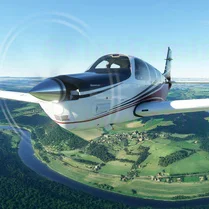
 Flight Simulator Adventure
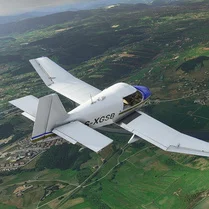 Flight Simulator Sandali
 Flight Simulator Shuvali
 Stewardess Rush
 Ages of Conflict
 Solar Smash
 Monkey Mart
 Melon Playground
 Football player career simulator
 Idle Success
 Hardware Tycoon
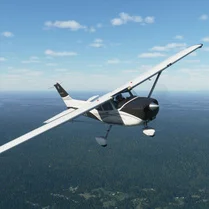 Aircraft Simulator 3D
 Tiger Simulator 3D
 Real Racing GT3
 Football Career Simulator
 My Perfect Hotel
 Car Crash Test Simulator
 Bridge Construction Simulator