Fix Song Ki-hoon's laptop!
This arcade-style puzzle game drops you into the role of a tech wizard tasked with resurrecting a laptop that has seen better days. Unlike a typical repair sim, the game blends hands-on tinkering with brain-teasing challenges, turning each step—from opening the case to rewiring circuits—into a distinct mini-game. You'll need to observe carefully, pick the right tool for each job, and think fast to avoid setbacks like static shocks or loose screws. What makes this experience stand out is its lighthearted take on a frustrating real-world situation. The pacing is snappy, the controls are intuitive, and the sense of accomplishment grows with every component you restore. It's a perfect pick for a short break, offering just enough depth to keep you engaged without demanding a huge time commitment. Whether you're a seasoned puzzle solver or a casual player, the game rewards patience and a methodical approach.
 WaffleMath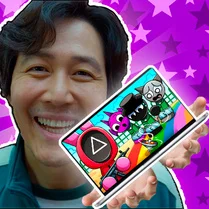
Common Core State Standards
Every game supports specific Common Core standards. Browse the full standards library.
Practice by Skill
Games by Grade
What is Fix Song Ki-hoon's laptop!
A clever mix of tool simulation and puzzle solving awaits as you revive a friend's trusty but battered laptop. Get ready to think like a technician and act like a gamer.
How to Play
Use your mouse to select tools and interact with the laptop's components. Each mini-game presents a unique puzzle—swap parts, drag cables, or tap in the right order to restore functionality.
Tips for Playing
- Examine the laptop screen closely for subtle clues about what needs fixing.
- Tackle mini-games in sequence; skipping steps can cause progress to reset.
- Use the pause button if a puzzle feels overwhelming—it gives you time to plan.
- Try tools on different parts if you're stuck; some have unexpected uses.
- Watch for a glowing indicator that signals which component is currently active.
Frequently Asked Questions
Is this game purely puzzle-based or does it require quick reflexes?
It's mostly about logic and precision. You'll solve puzzles at your own pace, though a few mini-games have a timer that keeps things lively.
Can I play on a touchscreen device?
Yes, the game supports touch controls. Simply tap or drag just like you would with a mouse.
What happens if I make a mistake during a repair?
Usually, you'll get a small visual cue and can try again immediately. There's no penalty system, so feel free to experiment.
How long does it take to complete all repairs?
A full playthrough typically takes 15–20 minutes, depending on how fast you solve each challenge.
Is there a story behind Song Ki-hoon's laptop breakdown?
The game hints at a playful backstory, but the focus stays on the repair process itself—no heavy narrative required to enjoy it.
Are there alternate endings or bonus levels?
There's a single main ending, but the mini-games randomize slightly, so replaying offers a fresh experience each time.
Related Puzzle Games

 99 Nights in the Forest: Monster Evolution
 Achievement Unlocked
 Dress To Impress
 Squid Game: Online
 Geometry Dash: Super Wave
 24 Hours in the Store Challenge!
 Flip Diving
 Archers Random
 Horror Roulette
 Parking Pro
 Extreme Car Parking
 3d Squid Game : Second Round
 Santy Is Home
 Press the Button or Die
 Geometry Wave: Сhallenge
 Do not Wake Sleeping Brainrot
 My Parking Lot
 Kiosk
Kiosk