Find The Button: Obby!
Find The Button: Obby! flips the classic platformer on its head by making observation just as important as your jumping skills. Each stage is a hand-crafted playground of spinning platforms, sliding blocks, and tricky gaps. But the real challenge isn’t just getting to the end—it’s figuring out where the level’s button is hiding. Some are tucked behind walls, others are disguised as decorations, and a few will only show up after you trigger the right switch. As you progress, the courses become more devious, forcing you to balance speed with careful scanning. You’ll need to memorize obstacle patterns, time your leaps perfectly, and keep your eyes peeled for any hint of the elusive button. With a cheerful art style and a steady ramp-up in difficulty, it’s a satisfying mix of reflex testing and puzzle solving that will keep you coming back for just one more run.
 WaffleMath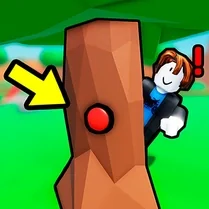
Common Core State Standards
Every game supports specific Common Core standards. Browse the full standards library.
Practice by Skill
Games by Grade
What is Find The Button: Obby!
Hop, sprint, and tumble through wild obstacle courses while keeping one eye open for a cleverly hidden button. Each level is a new scavenger hunt wrapped in a platforming challenge.
How to Play
Move your character with the arrow keys or WASD and jump with the spacebar (or on-screen buttons). Explore every corner of each stage to locate the hidden button, then press it to open the exit and move on.
Tips for Playing
- Scan the entire room before making your first jump to spot the button's hiding spot.
- If you get stuck, try interacting with objects or switches—they often reveal the button.
- Time your jumps on moving platforms early to avoid the rhythm rush later.
- Don't rush through the level; a quick look behind or above can save you a wasted run.
- Use the environment as a clue: buttons often match the floor or wall color.
Frequently Asked Questions
What is the main goal in Find The Button: Obby!?
The goal is to find and press the hidden button in each obstacle course. Pressing it unlocks the exit to the next stage.
Can I play this game on mobile devices?
Yes, the game supports touch controls and works on most mobile browsers.
Are there checkpoints in the levels?
No official checkpoints, but each stage is short enough that restarting isn’t too punishing.
How do I know where the button is?
You have to explore thoroughly. Look for odd colors, shimmering spots, or objects that look out of place.
Is there a time limit in the game?
No, you can take as long as you need to find the button and complete the course.
What happens if I fall off the map?
You’ll respawn at the start of the current level, so just try again.
Related Escape Hidden Games
 Italian Brainrot Obby Parkour
 Obby online
 Tower of Hell
 ROBUX Obby: Best parkour!
 Snowboard Obby
 Obby: Anti Parkour
 School Breakout Obby
 Robux: Mega Obby
 Obby: Gain weight
 Obby: BrainRot
 Obby Only Up Challenge
 School escape obby
 Your Obby Parkour
 Obby parkour
 Obby, but You Can't Jump
 Best Obby Collection
 Find Sprunks Obby Bike
 Escape Barry Obby Parkour