The Evolution of Geometry Dash: Mega Clicker
Forget running and jumping—in this spin-off, your finger does the work. You start as a simple square and tap feverishly to feed your energy meter. Each milestone morphs your shape into something more complex, from triangles to hexagons and beyond. The faster you tap, the quicker you evolve, and the more spectacular your transformations become. Power-ups scatter across your journey, offering temporary click multipliers, auto-click assists, and visual flair. Managing their timing is key to smashing through evolution gates. It's a test of endurance and rhythm that turns a familiar iconic character into a personal progress bar. See how far you can push your clicking stamina and which final form you can reach.
 WaffleMath
Common Core State Standards
Every game supports specific Common Core standards. Browse the full standards library.
Practice by Skill
Games by Grade
What is The Evolution of Geometry Dash: Mega Clicker
Tap, evolve, repeat. This clicker reimagines the iconic geometric hero as a progression machine where every click counts.
How to Play
Click or tap the screen rapidly to fill the evolution bar. Collect power-ups to boost your click speed and unlock new geometric forms.
Tips for Playing
- Focus on consistent clicking rather than frantic bursts—you'll last longer.
- Save your click multiplier power-ups for when the evolution bar is almost full.
- Auto-clicker assists are best used during the slow final stages of a transformation.
- Watch for visual cues that signal when a power-up is about to spawn.
- Take a short break between evolutions to let your hand recover.
Frequently Asked Questions
How do I evolve my character?
Each evolution has a progress bar that fills with each tap. Once it's full, you automatically evolve to the next geometric stage.
What do power-ups do?
Power-ups give temporary boosts like increased clicks per tap, auto-clicking for a few seconds, or bonus progress toward the current evolution.
Is there a limit to evolutions?
No fixed limit—the game keeps generating new shapes and challenges, so you can keep evolving as long as you can keep clicking.
Can I play with a mouse or keyboard?
Yes, you can click with your mouse or use the spacebar for rapid tapping on a keyboard, whichever feels more comfortable.
Why does my progress reset?
Progress resets only if you refresh the page—the game doesn't have a save feature. But reaching higher evolutions is fast, so you can bounce back quickly.
Related Idle Clicker Games

 Geometry Dash: Evolution Super Clicker!
 Evolution Demon Slayer: Clicker
 Geometry Click: Demon Evolution
 Geometry Dash: Evolutional Clicker!
 Geometry Dash evolution: Clicker
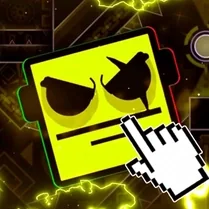 Geometry Dash: Evolution of the Clicker Super
 Geometry Dash: clicker and levels
 Pickaxe Evolution Mega Clicker
 Steve Evolution Mega Clicker
 99 Nights in the Forest: Clicker weapon Evolution
 FNAF - Clicker Evolution
 Console Evolution: Clicker!
 Geometry of dash with weapons
 Robby +1 To Jump Power Per Click
 Human Evolution - Idle
 BrawlStars Clicker: Gems
 Click Slayer
 Geometry Dash Jeka