Emoji Maker DIY: Digital Circus
Step right up to a one-of-a-kind creative sandbox where your imagination takes center stage. Emoji Maker DIY: Digital Circus invites you to craft your own personalized emoji faces from a wide range of shapes, colors, and accessories, then see them come alive in a vibrant circus world. Whether you prefer a cheeky grin, a stunned stare, or a downright silly look, the tools here let you fine-tune every detail, from the curve of a smile to the tilt of a hat. Once your masterpiece is ready, the fun really begins. You can parade your emoji through the digital big top, watch it interact with the colorful cast of characters, and even show off your collection in your own gallery. With endless combinations to try, every session offers a new surprise. This lighthearted game is perfect for quick creative breaks or extended play sessions, giving you a cheerful space to experiment and express yourself freely.
 WaffleMath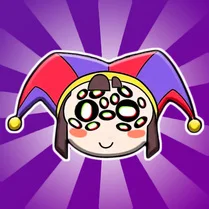
Common Core State Standards
Every game supports specific Common Core standards. Browse the full standards library.
Practice by Skill
Games by Grade
What is Emoji Maker DIY: Digital Circus
Unleash your inner artist and craft the quirkiest emojis imaginable. Then watch them perform in a lively circus atmosphere that's as unique as your creations.
How to Play
Use the mouse or touch controls to select facial features, colors, and decorations from the menus, then drag and drop them onto your emoji canvas. Confirm your design to bring your emoji to life and see it interact with the game world.
Tips for Playing
- Try mixing unexpected colors and shapes—like a monocle on a green face—for the most memorable emojis.
- Pay attention to the proportions of facial features; a small mouth on a large face changes the whole mood.
- Use the preview feature to see your emoji from different angles before finalizing.
- Experiment with accessories like hats or bows to add personality and stand out from the crowd.
- If you're stuck, look at the preset designs for inspiration, then tweak them to make something new.
Frequently Asked Questions
Do I need to download anything to play?
No downloads are required. The game runs directly in your web browser, so you can start playing instantly.
Can I save my emoji creations?
Yes, the game allows you to save your designs to your own gallery so you can revisit or continue editing them later.
Is this game suitable for younger players?
Absolutely. The controls are simple and the content is family-friendly, making it a good choice for players of all ages.
Are there any time limits or scoring in the game?
No. The focus is on creativity rather than speed, so you can take as long as you like designing your emojis without any pressure.
What happens after I finish making an emoji?
Once created, your emoji will appear in the circus environment, where you can watch it interact with other characters and perform small animations.
Can I share my emojis with friends?
While there's no direct share feature, you can take a screenshot of your creation and share it through your own social channels.
Related Art Coloring Games
 Drift Hunters
 Extreme Drift
 FPV Drone Sandbox
 ACR: City Drift Racing
 MR RACER - Car Racing
 Axis Football League
 Real Kart
 Gacha Club
 ARMS sandbox
 Boxing Stars
 Build a cool car
 Armor Heroes: Tank Battles
 Shooting Master! Craft the Gun!
 Battle Shot Elite
 Motocross - Season is open
 Extreme Cars Racing
 Dream Car: Assemble by Detail
 3D Playground Sandbox - Ragdoll