Driving City Online
Driving City Online drops you into a sprawling urban landscape where the roads are yours to roam. It’s not about strict racing lines or pit crews; it’s a chill, arcade-style playground where you can zip through downtown blocks, drift along coastal highways, or just idle at intersections watching the city breathe. The traffic is dense enough to keep you alert but forgiving when you make a wrong turn, so you can focus on the fun of piloting different vehicles across town. Beyond the free-roam vibe, the game layers in a light mission structure—things like ferrying passengers, chasing down targets, or showing off stunts—that reward you with cash to spend in the garage. That’s where the real hook lives: you can trick out your car’s engine, handling, and looks, gradually building a machine that matches your driving style. Whether you’re a completionist chasing every objective or a casual driver who just likes the hum of an engine, the open road here adapts to your mood. It’s a low-pressure, high-freedom driving experience that’s easy to pick up and hard to put down.
 WaffleMath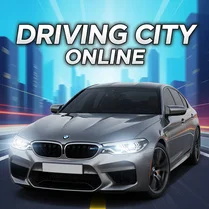
Common Core State Standards
Every game supports specific Common Core standards. Browse the full standards library.
Practice by Skill
Games by Grade
What is Driving City Online
Pick a ride, hit the asphalt, and carve your own path through a lively digital city. With a open map and a garage full of possibilities, every session feels like your own road trip.
How to Play
Use the arrow keys or WASD to steer, accelerate, and reverse, then tap space for the handbrake when you need sharper turns. Follow on-screen prompts to trigger missions, and pull into the garage icon to spend your earnings on upgrades.
Tips for Playing
- Keep an eye on your mini-map to spot mission markers and avoid dead-end streets.
- Drift through corners using the handbrake for quicker turns, especially in tight alleys.
- Save your cash for engine upgrades first—they make a bigger difference than cosmetic parts.
- Try night driving for a different view and lighter traffic to practice high-speed runs.
- If you get stuck on a mission, check the objective text—it often hints at a faster route.
Frequently Asked Questions
Can I play this game on my phone?
Yes, the game is built with touch controls in mind, so you can drive on a mobile browser or tablet. The layout is simplified for tapping and swiping, but the core experience stays the same.
Is there a way to save my progress?
Your car upgrades and mission progress are saved automatically, as long as you’re using the same device and browser. Clearing your cookies might reset that, so keep that in mind.
What happens if I crash my car?
Crashes don’t end the game—your car just takes some visual damage and slows down briefly. You can always continue driving or repair it at a garage for a small fee.
Are there different vehicles to unlock?
Yes, you can buy new cars from the dealership, and some special rides are rewards for completing certain missions. Each vehicle has its own handling and speed stats, so experiment to find your favorite.
How do I earn money in the game?
Money comes from finishing missions, pulling off stunts, and collecting cash icons scattered around the map. You’ll earn more by doing tougher tasks, so keep an eye on those high-reward jobs.
Is the game playable offline?
No, because it’s an online game, you’ll need an internet connection to load the city and save your progress. Once it’s loaded, though, the driving itself runs smoothly without lag in most cases.
Related Racing Games

 City Theft Auto
 Grand City Missions
 Real Cars in City
 Bimka destroys cars in the open world
 Car Simulator Online
 Car Simulator Best
 Open World Car Driving 3D
 Pink City
 Pro Car City Simulator 3D
 Robbie in the Car: Open World
 Street Racing 3D
 Street Racing: Open City 3D!
 Street Racing: Open World
 Zhiguli: Liberty-City
 GTA Simulator
 GTA San Andreas Test
 ACR: City Drift Racing
 Theft Auto: Vice City