Dress Designer
Dress Designer puts you in charge of a virtual fashion studio where every garment starts as a blank canvas. You decide the silhouette, pick the material, and layer on details like buttons, ribbons, or embroidery. The palette is vast, so you can go bold with bright hues or keep things subtle with soft neutrals. Each choice you make brings a new look to life, and there's no right or wrong way to create — just your imagination. As you progress, you'll face requests for different occasions, from casual daywear to elegant evening gowns. Matching the right fabric to the right occasion is part of the fun, but you're free to break the rules and mix unexpected textures. The game is as much about experimenting as it is about finishing a piece. With endless combinations of patterns, trims, and jewelry, no two designs ever need to look the same. Whether you're a budding fashionista or just like pretty things, this dress-up sandbox offers a relaxing creative escape.
 WaffleMath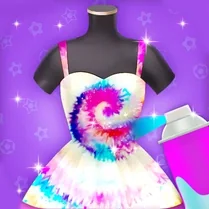
Common Core State Standards
Every game supports specific Common Core standards. Browse the full standards library.
Practice by Skill
Games by Grade
What is Dress Designer
Step into the role of a fashion designer and build your dream wardrobe from scratch. Dress Designer is a creative playground where every decision shapes your next masterpiece.
How to Play
Start by choosing a garment base, then cycle through fabric swatches, colors, and pattern options to alter its look. Finish by adding accessories such as necklaces, hats, or shoes, and save or share your finished design.
Tips for Playing
- Begin with a simple base and gradually add details to avoid overwhelming the look.
- Pay attention to color harmony; try using complementary shades for a balanced outfit.
- Experiment with unexpected fabric and accessory pairings to discover unique styles.
- For formal events, choose structured fabrics like satin or tulle, while casual looks work with cotton or denim.
- Don't forget the finer details—small additions like a belt or brooch can elevate a design.
Frequently Asked Questions
Can I save my designs and come back to them later?
Yes, most versions of Dress Designer let you save your creations locally or to your account, so you can revisit and tweak them anytime.
Are there preset templates to start from, or do I have to design from scratch?
Both options are typically available. You can start with a blank canvas or use a template for a specific occasion and then customize it.
What kinds of accessories can I add to an outfit?
Common accessories include jewelry, handbags, scarves, hats, and footwear. The exact range depends on the version you're playing.
Is there a scoring system or limit on how I design?
There's no strict scoring; the goal is creative freedom. You can design as many outfits as you like without restrictions.
Can I share my outfits with friends?
Yes, many versions allow you to export or share your designs via social media or in-game showcases.
Does the game work on mobile devices?
Dress Designer is usually browser-based and works well on tablets and phones, though the interface may adapt for touch controls.
Related Dress Up Style Games
 Anna's Story: Dress Up DIY
 Doll Designer
 Doll Maker
 Cut The Dress
 Idol Livestream: Doll Dress Up
 New Anime Girl
 Mobile Phone Case Design & DIY
 Dress Up
 Shoes Design DIY
 Fashion Princess - Dress Up for Girls
 Ink Shop: Dress & Tattoo
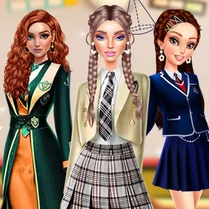 Back To School: Uniforms Edition
 Avatar Stylist
 Little Princess Dress Up
 Princess Dress Up - Sweet Doll
 Queenka Avatar: Create a Character
 Toсa Boсa clothing store
 Toca World Clothing