Dream Driving 3D
Dream Driving 3D drops you into a sprawling metropolitan playground where every street is a potential race line. The core loop is simple: pick your ride, hit the asphalt, and weave through traffic while chaining drifts to build speed. The city feels alive with neon reflections on wet roads and changing weather that alters grip, making each lap a fresh tactical puzzle. Whether you're threading through alleyways or power-sliding around highway cloverleafs, the responsive handling rewards careful throttle control and late braking over brute force. Beyond the raw thrill of overtaking, the game layers in a progression system that keeps you hooked. Win races to earn credits, then spend them on liveries, performance parts, and cosmetic upgrades that make your car truly yours. The AI opponents are aggressive but fair, pushing you to perfect your lines rather than simply outdrag them. With multiple districts to unlock and leaderboards that track your best lap times, Dream Driving 3D offers a satisfying blend of arcade accessibility and subtle depth for players who want to master every corner.
 WaffleMath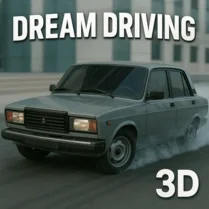
Common Core State Standards
Every game supports specific Common Core standards. Browse the full standards library.
Practice by Skill
Games by Grade
What is Dream Driving 3D
Dream Driving 3D is a street racing game that turns city streets into your personal circuit. With a mix of drift challenges and head-to-head AI duels, it's built for quick sessions but keeps you coming back for one more lap.
How to Play
Use the arrow keys or WASD to steer and accelerate, with the spacebar for handbrake drifts. Navigate the city from a third-person view, following the checkpoints and staying ahead of rival drivers to win each race.
Tips for Playing
- Brake early before hairpins to avoid losing momentum and needing a full stop.
- Use handbrake drifts on wide curves to maintain speed while setting up the next straight.
- Upgrade your tires first—they improve grip and make cornering more forgiving.
- Study the mini-map to spot shortcuts that can shave seconds off your lap.
- Draft behind AI rivals on straights to build extra boost before overtaking.
Frequently Asked Questions
Is Dream Driving 3D available on mobile devices?
It's designed primarily for desktop browsers, but you can try it on tablets with a keyboard. Touch controls are not officially supported.
How do I unlock new cars?
Each race victory earns credits, which you can spend in the garage on new vehicles or performance upgrades. Higher-tier cars become available as you progress through districts.
Can I play offline?
No, Dream Driving 3D requires an internet connection because it saves your progress and leaderboard times to the server.
Are there any microtransactions?
No, all car purchases and upgrades are earned through in-game racing. There are no real-money purchases or ads.
What should I do if the game lags?
Lowering the graphics quality in the settings menu usually helps. Also, make sure to close other browser tabs that might be consuming memory.
Can I customize my car's paint job?
Yes, the garage lets you change paint colors, add decals, and apply liveries, though some cosmetic options require a higher driver level.
Related Racing Games
 Bustle on E 63
 ACR: City Drift Racing
 Traffic Tour
 Police Chase Drifter
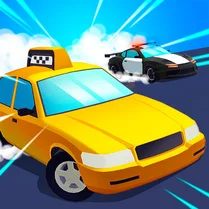 Crazy Taxi Driver
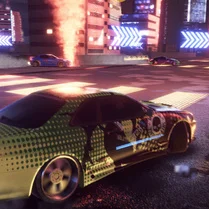 Night Racer: Speed Drift
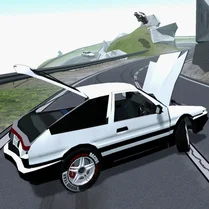 Car Destruction & Drift Simulator
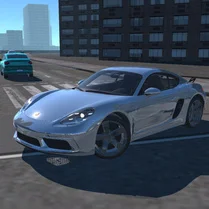 Race in City on Porsche
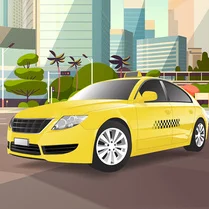 Taxi Driver
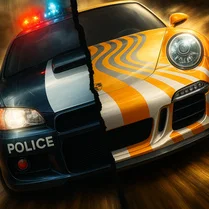 Police Chase: Drift
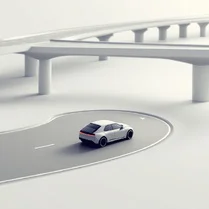 Street traffic: driving in the city
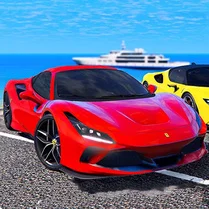 Supercars in traffic
 Police Car
 Sports cars and city
 Limousine Simulator
 Zombie Open World: Dead Town Delivery
 Sprunk City 3D
 3D Trucks Transit