Disassemble the Cube 3D
Disassemble the Cube 3D turns the classic block-breaking premise into a thoughtful spatial puzzle. Instead of smashing everything at once, you'll need to carefully identify which sections can be removed without collapsing the whole structure. Each level presents a new configuration of interlocking blocks, and your goal is to take it apart methodically until nothing remains. The game ramps up steadily, starting with simple arrangements and moving toward multi-layered constructions that demand patience and foresight. The clean 3D visuals let you rotate the view freely, so you can examine every angle before making a move. With a satisfying click-and-remove mechanic, it's a relaxing yet brain-teasing experience for anyone who enjoys logic puzzles.
 WaffleMath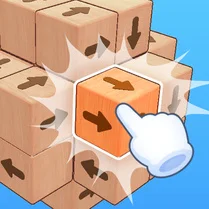
Common Core State Standards
Every game supports specific Common Core standards. Browse the full standards library.
Practice by Skill
Games by Grade
What is Disassemble the Cube 3D
Think you can take apart a cube? Disassemble the Cube 3D challenges your spatial reasoning as you strategically remove blocks from a 3D structure.
How to Play
Click or tap on individual blocks to remove them from the cube. You must clear all blocks to complete each level, but some blocks are stuck and require you to remove others first.
Tips for Playing
- Rotate the cube frequently to spot hidden connections from different angles.
- Look for blocks that are only attached on one side—they're usually your safest first picks.
- Try to remove blocks from the outer layers before tackling the inner core.
- If you're stuck, focus on freeing any block that looks like it's supporting others above it.
- Plan a sequence in your head before clicking—mindless removal often paints you into a corner.
Frequently Asked Questions
Is there a time limit in Disassemble the Cube 3D?
No, you can take as long as you need. It's a pure puzzle game that rewards careful thinking over speed.
What happens if I remove a block that causes others to fall?
That's a key part of the challenge! Falling blocks are removed from the puzzle, which can sometimes be helpful, but it might also make the structure unstable.
Can I restart a level if I get stuck?
Yes, you can restart the current level at any time, and the puzzle will reset to its initial state.
Does the game have different difficulty levels?
The game gradually increases in difficulty as you progress, with more complex cube structures appearing in later stages.
How do I rotate the view of the cube?
You can rotate the view by dragging with your mouse or finger, depending on whether you're on desktop or a touchscreen device.
Related Puzzle Games

 Spikes destroy cubes
 Color Cubes: Battle for the Field
 Cubic wars
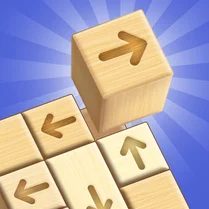 Disassemble the Cube: Wooden in 3D!
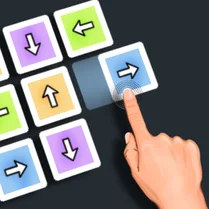 Disassemble the cube: Pro!
 Don't let the cubes fill the table
 Army of cubes: Create and Command
 Break the Cube: Legendary Drop
 Cube Master
 Disassemble 3D shapes out of cubes
 Numbers 3D Cubes: Disassemble Figure
 Save the Cubes from Lava - Playground MOD
 Steal a Brainrot! 100% Original
 Plants vs Zombies
 Ages of Conflict
 Steal a Brainrot! The original version!
 Bloxorz
 Stick Defenders