Cut 3D
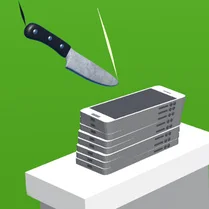
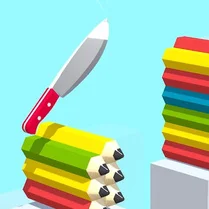
Cut 3D puts a fresh spin on puzzle games, blending spatial reasoning with calm, focused action. Each level presents a rotating 3D object made of distinct color zones. Your job is to find the right angle and make a clean cut that separates the colors exactly as shown. The game rewards careful observation and steady hand-eye coordination, offering a satisfying sense of accomplishment with every successful slice. As you progress, the shapes become more intricate, and the cuts demand greater accuracy. The minimalist design and smooth visuals keep the experience relaxing, while the escalating complexity keeps your mind engaged. Whether you're a puzzle enthusiast or just looking for a quick mental break, Cut 3D offers an addictive mix of simplicity and challenge that’s easy to pick up but hard to master.
 WaffleMath
Common Core State Standards
Every game supports specific Common Core standards. Browse the full standards library.
Practice by Skill
Games by Grade
What is Cut 3D
Sharpen your virtual blade and get ready to slice through tricky geometric puzzles. Cut 3D tests your precision and spatial thinking with every swipe.
How to Play
Drag your finger or mouse across the screen to draw a cut line on the rotating 3D shape. Aim to split the shape so that each colored section lands in its own piece, matching the target pattern.
Tips for Playing
- Wait for the shape to rotate to a clear angle before drawing your cut.
- Visualize the hidden parts of the shape to anticipate how sections align.
- Start with slower, deliberate cuts to improve accuracy.
- If a cut is off, quickly readjust rather than forcing it.
- Pay attention to the outline of each color zone for clues.
Frequently Asked Questions
What is the main objective in Cut 3D?
You cut 3D shapes to separate different colored sections into distinct pieces. Each level has a specific goal you must achieve.
How do I control the cutting action?
You swipe across the screen or drag the mouse to draw a cutting plane through the shape. The cut is applied along that line.
Can I undo a bad cut?
There is no undo option, but you can restart the level if you make a mistake. It’s often quicker to retry than to struggle on.
What happens if I cut through a wrong section?
You may fail the level if the cut doesn’t separate the colors correctly. You’ll need to restart to try again.
Is there a time limit in the game?
No, you can take as much time as you need to analyze each shape. This makes the game more about strategy than speed.
Do the shapes become harder as I progress?
Yes, later levels introduce more complex shapes with additional color sections, requiring more precise cuts and better spatial reasoning.