Cursor-Square vs Mine: Home Defense
Cursor-Square vs Mine: Home Defense drops you into a tense, quick-fire scenario where your home is under siege from a relentless stream of armed devices. As the square-shaped pointer, you must hover and click each mine that materializes around your property, neutralizing it before it detonates and causes damage. The game gradually cranks up the pressure, introducing faster spawn rates and trickier placements that demand sharper reflexes and precise timing. What starts as a simple click-and-defuse routine quickly evolves into a true endurance challenge. With each passing wave, you'll find yourself scanning the screen more aggressively, prioritizing threats and committing to split-second decisions. The minimalist visuals keep the focus squarely on your reaction speed and accuracy, while the escalating tempo ensures no two sessions feel alike. It's a pure arcade experience built around one core question: how long can you hold the line?
 WaffleMath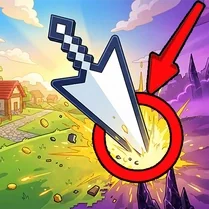
Common Core State Standards
Every game supports specific Common Core standards. Browse the full standards library.
Practice by Skill
Games by Grade
What is Cursor-Square vs Mine: Home Defense
A sniper's focus meets a demolition expert's timing in this rapid-fire defense game. Your cursor is the last line of defense against a parade of ticking bombs.
How to Play
Move your mouse to position the square cursor over each mine and click to defuse it. Keep an eye on all corners of the screen, as new explosives appear without warning.
Tips for Playing
- Stay near the center of the screen to minimize travel time to new mines.
- Prioritize mines closest to your home, as they pose the greatest threat.
- Practice rhythmic clicking to build a steady, efficient pace.
- Watch for patterns in mine spawn locations to anticipate where to aim next.
- Take advantage of brief lulls to reposition your cursor strategically.
Frequently Asked Questions
What happens if I miss a mine?
If a mine fully arms and explodes, it will damage your home. Let too many through and you'll lose the game.
Can I pause the game?
Yes, most browser-based versions allow you to pause by pressing the P key or clicking the pause icon. This can help you plan your next move.
Is there a way to increase the difficulty?
The game naturally accelerates over time. Additionally, some versions offer a 'hard mode' that increases mine spawn rates and speed from the start.
Do I need a special mouse or keyboard to play well?
A standard mouse is sufficient, but a high-precision mouse with adjustable DPI can help you make faster, more accurate clicks.
What is the best strategy for high scores?
Maintain a balanced view of the entire playfield, prioritize nearby threats, and establish a comfortable clicking rhythm to avoid panicking.
Can I play this game on a touchscreen device?
Yes, touchscreen devices work well. Simply tap on mines with your finger or stylus to defuse them.
Related Arcade Games

 99 nights in the forest evolve and click
 Defend Your Base With a Click
 Heroes of Mouselot
 Reaction test
 Red stick vs zombie
 CSGO Case Clicker
 Cookie Clicker
 Help the beautiful clicker girls!
 Dogeminer
 Age of War
 Dogeminer 2
 +1 Bicycle Speed Per Second
 Alien's Nest
 CAPYBARA 3D: Click and Get Rich!
 A Fantastic Vacation | Adult Clicker
 +1 Fat per Second! Eat and Fat!
 Two Neon Boxes
 GrindCraft