Cross stitch: knitting
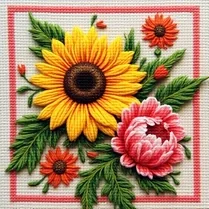
Cross stitch: knitting turns your browser into a digital needlework canvas. Instead of fabric and floss, you work with a grid of squares, choosing from a palette of vivid hues to stitch out elaborate designs. The game offers both structured patterns for those who enjoy following a guide and a free mode for creative souls who want to paint with thread. Every filled square brings a sense of calm accomplishment, making it a perfect escape from fast-paced gaming. As you progress, you'll discover that this gentle pastime is more than just clicking—it's about patience, color matching, and seeing a big picture emerge from small pieces. The interface is clean and intuitive, so you can dive straight into the satisfying rhythm of placing stitches. Whether you're aiming to recreate a classic motif or invent something entirely new, the game rewards steady hands and a relaxed mind. It's a delightful way to unwind, exercise your spatial thinking, and enjoy a bit of digital artistry without any pressure.
 WaffleMath
Common Core State Standards
Every game supports specific Common Core standards. Browse the full standards library.
Practice by Skill
Games by Grade
What is Cross stitch: knitting
Step into a soothing digital stitching room where every click adds a thread of color. Cross stitch: knitting invites you to relax and create pixel-perfect needlework at your own pace.
How to Play
Select a color from the palette, then click or tap on grid cells to fill them with that thread. Follow the numbered pattern card to replicate a design, or switch to free mode to craft your own masterpiece.
Tips for Playing
- Start with smaller, simpler patterns to learn the basics before tackling larger canvases.
- Keep your palette organized by using one color at a time to avoid constant switching.
- Zoom out occasionally to see the whole picture and check that your stitches align.
- In free mode, sketch your idea on paper first to plan your color placement.
- Take breaks to rest your eyes—this game is perfect for relaxed, mindful sessions.
Frequently Asked Questions
Can I play this game on my mobile phone?
Yes, Cross stitch: knitting works on any device with a browser, including tablets and smartphones. The touch controls are simple, so you can stitch on the go.
Are there hints or guides for difficult patterns?
Many patterns include a numbered guide that shows which color goes in each square. You can also use the 'show completed' feature to track your progress.
Can I save my work and finish later?
The game automatically saves your progress in most situations, so you can close the tab and return later to continue where you left off.
Is there a way to undo a mistake?
Yes, there's an undo button that lets you remove your last few stitches if you place a color incorrectly. It's a handy safety net.
Are there different difficulty levels?
The game offers a range of patterns from tiny, simple images to large, complex ones. You can choose based on your experience and mood.
Can I share my completed designs with others?
You can take a screenshot of your finished artwork and share it on social media or with friends. The vibrant pixel patterns make great digital art.
Related Art Coloring Games
 Cubes - Relax Playground
 Cross Stitching: Animals
 Cross Stitching: Disney
 Color trail behind a black ball. Relax
 Knit Out!
 Girls in the Bath: The Return
 FlowScape: Line Alchemy
 Cross Stitching
 Onet PaoPao Classic
 Color Yarn Sort
 Pop It Mania Antistress
 Criss-Cross Stitching
 Flower Story
 Onet PaoPao 2.0
 Blocky Puzzle
 Cross stitch
 Cross Stitching: Food
 Cross-stitch by numbers