Create a skin for Mine 2 - Playground and Bang!
Create a Skin for Mine 2 - Playground and Bang! blends two distinct pleasures: the joy of visual creation and the thrill of fast-paced playground battles. In the creative half, you can mix colors, patterns, and accessories to design a character that truly feels like your own. The possibilities are vast, allowing for both silly and stylish outcomes. Once you're happy with your creation, it's time to put it to the test. The action half drops you into a vibrant arena where your customized character springs to life. Here, quick reflexes and smart moves matter as you dodge obstacles and outmaneuver rivals in a series of chaotic mini-games. Each round is short and sweet, perfect for a quick break or an extended play session. The game's charm lies in its ease of picking up, yet it offers enough variety to keep you coming back to tweak your skins and refine your strategies.
 WaffleMath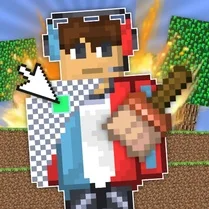
Common Core State Standards
Every game supports specific Common Core standards. Browse the full standards library.
Practice by Skill
Games by Grade
What is Create a skin for Mine 2 - Playground and Bang!
Unleash your imagination by designing original character skins, then leap into lively playground challenges to show them off.
How to Play
Start in the customization studio to adjust your character's appearance using the available tools. When you're satisfied, jump into the arena and use your keyboard or touch controls to move, jump, and interact with the environment.
Tips for Playing
- Try bold color combinations that stand out in the bright arena.
- Customize your character often to keep the visual experience fresh.
- In the playground, keep moving to avoid getting caught by surprises.
- Learn the layout of each mini-game to anticipate where to go next.
- Watch other players' designs for inspiration, then add your own twist.
Frequently Asked Questions
Can I save my custom skins?
Yes, the game typically auto-saves your latest creation so you can pick up where you left off. Just make sure to finish your design session before closing the game.
Is this game suitable for all ages?
Absolutely, the game is designed with a friendly, cartoonish aesthetic and simple mechanics, making it fun for players of any age.
Do I need to download anything to play?
No downloads are required. The game runs directly in your web browser, so you can start playing almost instantly.
What happens if I get stuck on a mini-game?
Each mini-game is short and forgiving, so you can simply restart and try again. Practice will help you improve your timing and strategy.
Can I play with friends?
The game is primarily a solo experience, but you can take turns with friends on the same device to compare your custom skins.
Related Art Coloring Games
 Minecraft Skin Editor
 Create a Skin for Mine!
 Create a skin from blocks in Mine
 Create a Ragdoll Skin in Mine
 Minecraft Case Simulator
 Draw the Characters of Mine's!
 Skin master
 Create Skin
 Fortnite: Get skins
 Make a skin
 Sprunki 2 Ragdoll! Sandbox, a mod for CS skins
 Minecraft Online
 Drift Hunters
 EaglerCraft 1.8
 Extreme Drift
 FPV Drone Sandbox
 ACR: City Drift Racing
 MR RACER - Car Racing