Create a game
Create a Game hands you the tools to build your own arcade-style challenges from a blank canvas. Instead of following a preset storyline, you decide what the world looks like, which characters appear, and how the rules work. The interface keeps everything straightforward, so you can focus on experimenting without wading through complex menus or tutorials. Once your creation is ready, you can instantly step into it and see how it plays. Tweaks are easy to make, whether you need to adjust the difficulty, reposition obstacles, or give your hero a new ability. The best part is the simple sharing feature, which lets other players try what you have made. For anyone curious about game design, this is an approachable starting point that encourages imagination and problem-solving.
 WaffleMath
Common Core State Standards
Every game supports specific Common Core standards. Browse the full standards library.
Practice by Skill
Games by Grade
What is Create a game
Create a Game is an arcade-style sandbox where you design, test, and share your own playable levels. You control every element, from the setting to the win conditions, and then you get to experience the result firsthand.
How to Play
Place characters, blocks, and interactive items onto the grid using the editing tools, then set the goals and rules. After saving, click play to test your level, make adjustments, and share it with the community.
Tips for Playing
- Start with a simple goal like collecting all coins before adding complex mechanics.
- Use the preview mode frequently to spot impossible jumps or frustrating traps.
- Place checkpoints in longer levels so players do not restart from scratch.
- Experiment with different enemy placements to find a fair challenge balance.
- Share your level and ask for feedback to improve your design quickly.
Frequently Asked Questions
Do I need coding experience to create a game?
No. The builder uses drag-and-drop and pick-and-choose menus, so you can design games without writing any code.
Can I play games made by other users?
Yes. The community section lets you browse and play levels others have shared, which is a great way to find inspiration.
How do I change the difficulty of my game?
You can adjust the speed of characters, the number of enemies, and the layout of obstacles directly in the edit mode to make levels easier or harder.
Is there a limit to the size of my level?
Levels have a maximum dimension, but you can expand the grid up to a generous size. Complex levels may run slower on older devices.
Can I save my progress and come back later?
Your creations are saved automatically to your profile, so you can pause and return to work on them anytime.
What happens if my game has no clear goal?
The editor provides a few preset goal options, like collecting items or reaching the exit. If you leave goals unset, the play mode defaults to a simple survival challenge.
Related Sandbox Building Games
 Ragdoll Stories! Create your own Playground Feed!
 Five Nights at Freddy's Playground Sandbox
 Builder
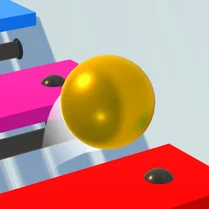 Music ball: create your own melody
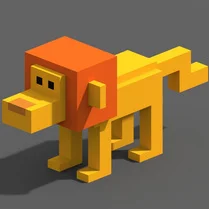 Create a 3D model yourself!
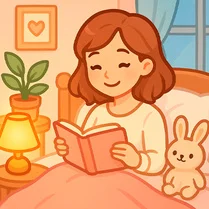 Dream room: arrangement of objects
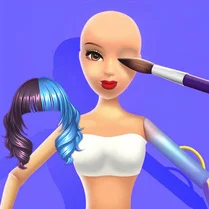 Barbie Factory
 Block Building
 Build an Island!
 Chupixes: Sandbox Playground
 Create your beach
 Create your own game
 Create your own 3D model
 Gmod: Epic Sandbox
 Italian Animals: The Sandbox
 Italian Brainrot: The sandbox meme
 Make Brainrot Online
 Free Mobile Game Maker App: Create Your Games