Crazy Stunts: GTA Modes
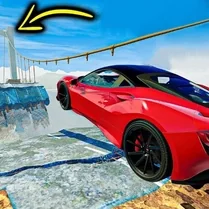
Crazy Stunts: GTA Modes drops you behind the wheel of a variety of vehicles in a sandbox that prioritizes style over speed. Every course is a gauntlet of ramps, loops, and destructible barriers that reward precise timing and a willingness to defy physics. The open layouts invite you to experiment: find alternative routes, chain mid-air spins, or simply barrel through obstacles to see what breaks. With each new level, the complexity ramps up, introducing moving hazards and tighter landing zones that will test even seasoned stunt drivers. Beyond the basic challenge, the game introduces fresh vehicles that handle differently—some built for raw acceleration, others for nimble aerial control. As you clear stages, you'll unlock more options and gain access to extreme environments inspired by urban chaos and industrial sprawl. The physics engine keeps things unpredictable, so every run feels distinct, urging you to replay and refine your approach. Whether you're seeking a quick burst of adrenaline or a deep stunt-driving sandbox, this experience delivers a ton of replay value without bloated mechanics.
 WaffleMath
Common Core State Standards
Every game supports specific Common Core standards. Browse the full standards library.
Practice by Skill
Games by Grade
What is Crazy Stunts: GTA Modes
Ready to leave the road behind? Crazy Stunts: GTA Modes is all about pushing vehicles to their limits—and beyond—through explosive, urban obstacle courses.
How to Play
Guide your vehicle through each stunt course, using the accelerator, brake, and steering controls to hit ramps and perform flips. Time your jumps and adjust your landing to maintain momentum and avoid crashing.
Tips for Playing
- Start with slower vehicles to learn the course layouts before attempting top-speed runs.
- Hold the accelerator only after hitting the ramp peak to control mid-air rotation.
- Use the brake just before landing to stabilize your car and prevent rolling over.
- Look ahead for alternate paths—many courses have hidden shortcuts that shave off seconds.
- Upgrade your vehicle between runs to improve its handling and durability.
Frequently Asked Questions
How do I unlock new vehicles in Crazy Stunts: GTA Modes?
Vehicles are unlocked by completing stunt courses and earning enough stars from your performance. Check the garage menu to see which cars are available and what conditions are needed.
What happens if my car flips over during a jump?
If your car lands upside down and doesn't correct itself within a few seconds, the run ends and you restart from the last checkpoint. Try to balance mid-air to land on your wheels.
Can I play Crazy Stunts: GTA Modes on mobile devices?
Yes, the game is built for browser play and supports touch controls on tablets and phones. On-screen buttons mimic the keyboard layout for a smooth experience.
Is there a multiplayer mode?
The current version focuses on single-player challenges. However, you can compare your high scores with friends through the leaderboard system.
Why does my car get destroyed when hitting obstacles?
High-speed impacts with solid obstacles can cause vehicle damage, leading to explosions or forced restarts. Plan your routes to avoid reinforced barriers and use softer objects for bonus smashes.
Are there different difficulty levels?
The game features progressive difficulty across its course list, with later stages adding moving barriers, narrower ramps, and timed sections. There is no manual difficulty setting, but you can replay earlier levels to practice.
Related Racing Games
 GTA Simulator
 Hill Climb Racing
 Car Crash Sandbox Race Simulator 3D
 Mega Stunts: GTA 5 Online
 Cube World: Build and destroy
 GTA: Smash the Car to Pieces!
 Sandbox Mine's TNT Dynamite
 BoomCraft
 Sandbox Mine Dynamite Explosion
 Crazy TNT Mod
 Mine Sandbox: Build and Blow Up
 Bombs vs Nokia 3310 - Sandbox Playground!
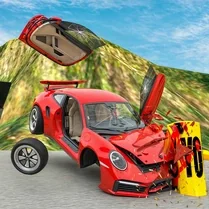 Bimka destroys cars in the open world
 BoomNG Drive
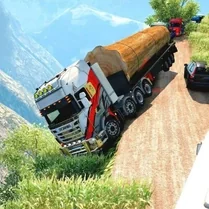 BoomNG Drive: Dangerous movements
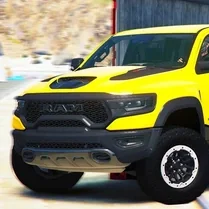 BoomNG Drive: The Great Rise
 BoomNG Drive: Risky Jump
 Car Crash Sandbox