Cooking Chef
Cooking Chef drops you into a bustling kitchen where every second counts. You take orders, chop ingredients, cook dishes, and plate them before impatient customers lose their cool. The pace ramps up quickly, turning simple recipes into frantic multitasking as you juggle multiple stations and try to keep everyone satisfied. Your kitchen starts basic, but as you earn tips from happy diners, you can upgrade your gear and unlock new recipes. Each level introduces fresh ingredients and tougher challenges, testing your speed and memory. With colorful visuals and responsive controls, it is a lighthearted yet demanding test of your culinary reflexes.
 WaffleMath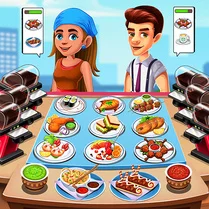
Common Core State Standards
Every game supports specific Common Core standards. Browse the full standards library.
Practice by Skill
Games by Grade
What is Cooking Chef
Cooking Chef puts your multitasking skills to the test in a lively kitchen. Serve up tasty plates and build your dream restaurant one order at a time.
How to Play
Watch the order ticket, then tap or click the correct ingredients and cooking actions to prepare each dish. Serve the finished plate before the customer's patience runs out.
Tips for Playing
- Always prep ingredients in advance when you know a dish is coming.
- Prioritize orders with longer wait times to avoid losing customers.
- Upgrade your stove and tools early to speed up cooking.
- Keep an eye on the order queue to plan your next steps.
- Don't rush plating—accuracy matters, but speed is key.
Frequently Asked Questions
What happens if a customer waits too long?
If the patience bar empties, the customer leaves without paying, and you lose potential tips and score.
Can I unlock new dishes?
Yes, as you progress through levels, you'll gain access to new recipes and ingredients.
Is there a time limit in each level?
Most levels have a time limit or a target number of orders to complete, so you need to work efficiently.
How do I upgrade my kitchen?
Earn coins from tips and completed orders, then spend them in the upgrade menu to improve equipment and unlock tools.
What controls does the game use?
It uses simple point-and-click controls, so you can play with a mouse or touchscreen.
Related Simulation Tycoon Games
 Papa's Pizzeria
 Papa's Pancakeria
 Papa's Burgeria
 Burger Cafe - Cooking Games For Kids
 Cooking Dash
 Kitchen Craze
 Cooking Empire
 Burger Madness
 The master of the shawarma
 Cooking Mania
 SpongeBob: Burger Rush
 Grill Master
 Penguin Diner 2
 Delicious pizza
 Grill Party!
 Burger Fever
 Fry the Fries
 Little Cook Pizza Master