Color Race Obby
Color Race Obby drops you into a world where every platform, block, and barrier is a vivid hue waiting to be conquered. The core loop is simple: move forward through a sequence of color-themed stages, each one introducing new movement puzzles and hazards. As you progress, the course becomes more intricate, demanding sharper reactions and smarter route choices. The game's visual clarity means you always know what to jump on or duck under, but knowing isn't the same as doing when the course speeds up. Beyond the main challenge, the game rewards repeated runs as you learn each section's rhythm. You'll find yourself shaving seconds off your times and discovering shortcuts that only become obvious with practice. With its pick-up-and-play design, it works equally well for a few minutes between tasks or a longer session to chase your best performance. The colorful aesthetic keeps the experience energetic, while the physics-based movement gives you full control over every leap and landing.
 WaffleMath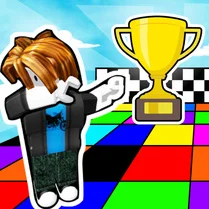
Common Core State Standards
Every game supports specific Common Core standards. Browse the full standards library.
Practice by Skill
Games by Grade
What is Color Race Obby
Race through a colorful gauntlet of platforms and obstacles. How far can you go before the course gets the best of you?
How to Play
Use arrow keys or WASD to move and jump, and press the down key to slide under low barriers. Reach the end of each stage to advance through the game.
Tips for Playing
- Time your jumps precisely; early or late leaps often land you in the void.
- Slide under barriers when you see them coming; it's faster than jumping over.
- Look ahead to plan your route, not just at your character's current position.
- Practice tricky sections repeatedly to build muscle memory for later levels.
- Use the color cues to anticipate what type of obstacle comes next.
Frequently Asked Questions
What is the main objective in Color Race Obby?
Your goal is to reach the finish line of each obstacle course while avoiding hazards and overcoming color-coded challenges.
How do I control my character?
You use the keyboard arrow keys or WASD to move left and right, and to jump. The down key makes you slide.
Are there multiple levels or just one course?
The game features multiple stages of increasing difficulty, each with unique layouts but connected by the same vivid color theme.
Does the game require a download or installation?
No, you can play directly in your web browser without installing anything.
Can I replay completed levels to improve my time?
Yes, you can replay any stage you've unlocked to practice and try to beat your previous record.
What happens if I hit an obstacle?
Hitting an obstacle typically causes you to fall off the course or get reset to a checkpoint, so you'll need to try that section again.
Related Obby Parkour Games
 Fall Guys Classic
 Tomb of the Mask: Color
 Obby: Blow Bubblegum!
 Obby: Tower to the Stars
 Strawberry Obby: The Most Fun Parkour!
 Epic Color Ball Journey
 Obby: Colorful Adventure
 Obby and Sprunki: Playground
 Aquapark Balls Party
 Cartoon cat: naughty kitten
 Crimson and Pink ball - parkour adventure
 Dotted Girl New Era
 Funny Balls - New Adventure
 Labubu on a bike
 Obby Brainrot: Fun Fishing!
 Obby: Call Dandy world right now!
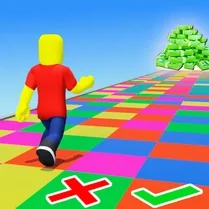 Obby: Colored Platforms
 Obby: Dig Down