Checkers vs Computer
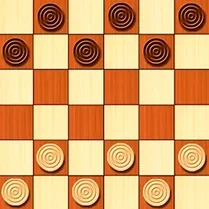
Immerse yourself in the timeless strategy of draughts, now with a digital rival that adapts to your skill. Whether you are just learning the ropes or a seasoned tactician, this rendition offers a clean, distraction-free board where every move counts. The interface is straightforward, letting you focus on the mental duel: plan your advances, protect your back line, and spring clever captures to outmaneuver the computer. As you progress, you can dial the difficulty up or down, making each match a fresh test of your planning and foresight. It's not just about hopping pieces; it's about reading your opponent's patterns and setting up multi-step traps. With crisp visuals and responsive controls, this classic pastime feels right at home on your screen, offering a quiet but compelling brain workout whenever you have a few minutes to spare.
 WaffleMath
Common Core State Standards
Every game supports specific Common Core standards. Browse the full standards library.
Practice by Skill
Games by Grade
What is Checkers vs Computer
Sharpen your strategic thinking with a classic board game reimagined for your browser. Face off against an adaptive AI that scales to your ability.
How to Play
Click or tap a piece to select it, then choose a valid diagonal square to move to or jump over an opponent's piece to capture it. The goal is to eliminate all of the computer's pieces or block them from moving.
Tips for Playing
- Keep your back row intact as long as possible to prevent the computer from crowning its pieces.
- Force your opponent into positions where they must give up a piece, setting up a double jump on your next turn.
- Advance your pieces as a unified group rather than sending one out alone.
- Aim to get one of your pieces to the far side to earn a king, which can move in any diagonal direction.
- Monitor the computer's moves to spot its preferred patterns and plan counters accordingly.
Frequently Asked Questions
How do I change the difficulty level?
Look for a difficulty setting on the main menu or in the game options before starting a match. You can often adjust it at any time during play.
What happens if no one can move?
If a player has no legal moves, that player loses the game. The computer will usually declare a winner or a draw if both are stuck.
Can I undo a move?
Yes, many versions offer an undo button, typically located near the controls. Using it may be restricted in harder difficulty modes.
Is there a time limit for each turn?
Usually, there is no time limit in this game, allowing you to think through your moves carefully. However, check the settings for any tournament-style timer.
What is the best strategy to win?
Control the center of the board, keep your pieces coordinated, and try to create forced captures. Patience and careful planning often lead to victory.
Related Card Board Games
 Checkers
 Checkers Legend
 3D Checkers
 BMW City Checkers
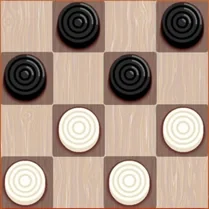 Checkers 2025
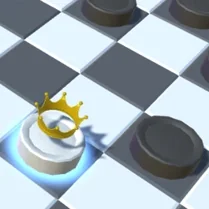 Checkers 3D: Classic
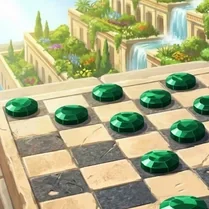 Checkers. 7 Wonders of the World
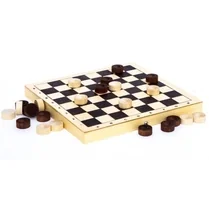 Checkers with AI
 Checkers with beauties
 Checkers on BMW M4
 Checkers Giveaway
 Checkers on the Highway
 Checkers on the M8
 Checkers Master
 Checkers with PC
 Checkers Russian
 Checkers: Play Russian Checkers Online vs AI
 Checkers: Strategy on the board