Catland block 9x9
Catland block 9x9 takes the classic block-placement formula and gives it a whiskered twist. You're handed a set of feline-shaped tiles, each composed of colorful squares, and your task is to drop them onto a nine-by-nine board. Every time you fill a full row or column, that line vanishes, opening up fresh space and triggering a satisfying cascade of points. The challenge ramps up as the grid fills, demanding careful planning and a good eye for future moves. What makes this version stand out is its playful presentation. The blocks feature cute cat faces and soft pastel tones, turning each placement into a small visual treat. The gameplay is simple to pick up but offers real depth for those who like to think ahead. With no time pressure, you can take your time weighing each decision, making it a relaxing yet engaging way to exercise your spatial reasoning. Whether you have a few minutes or a long session, the blend of strategy and charm keeps you coming back for one more round.
 WaffleMath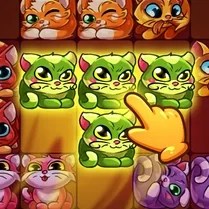
Common Core State Standards
Every game supports specific Common Core standards. Browse the full standards library.
Practice by Skill
Games by Grade
What is Catland block 9x9
Arrange cute cat blocks on a 9x9 grid, clear lines, and keep the board from filling up. It's a fresh take on block puzzles with a purr-fectly charming theme.
How to Play
Drag or click a cat block to place it on the grid. Fill entire rows or columns to clear them; the game ends when no more blocks can be placed.
Tips for Playing
- Think a few moves ahead: try to leave space for the next set of blocks.
- Clear lines as soon as possible to keep the grid from getting clogged.
- Prioritize making full lines in the middle of the board for more flexibility.
- Use the preview to plan your placement and avoid trapping pieces.
- Don't panic if you have to place a block awkwardly; sometimes it creates new opportunities.
Frequently Asked Questions
What is the objective in Catland block 9x9?
Place cat blocks on a 9x9 grid to fill complete rows or columns, which then disappear. The game ends when no more blocks can be placed.
How do I control the cat blocks?
You can drag and drop blocks onto the grid using your mouse or finger on touchscreens. Select a block and position it where you want, then release to place it.
Is there a time limit?
No, the game is turn-based with no timer. You can take as long as you need to decide your next move.
Can I rotate the blocks?
Typically, the blocks are fixed in orientation and cannot be rotated. However, you may have options to rotate in some versions, but the core game focuses on placement.
What happens when the grid is full?
If you can't place any of the remaining blocks because the grid is full, the game ends. Your score and progress are then displayed.
Are there different levels or difficulties?
The game usually has a single mode, but the challenge increases as you play because the grid fills up. Some versions may include various difficulty settings or modes.
Related Puzzle Games
 Complete the block puzzle
 1010 Cats
 Assemble Block Puzzle
 Assemble blocks in puzzle
 Block Puzzle Sudoku
 Puzzle Blocks
 Block Puzzle: Neon Adventure
 Roll Out! Exit from traffic
 Pentomino
 Wood Blocks Jam
 Block Puzzle Blast
 Yamabusi. Japanese Crosswords
 Sudoku Guru - classic sudoku
 Wood Block Puzzle Classic
 Block Puzzle: Lines of Blocks
 Block Puzzle Game
 Block Puzzle Color Puzzles
 Nonogramm: Nono cross