Car Drive Pro
Car Drive Pro drops you into the middle of a bustling metropolis, where every intersection and alleyway demands your full attention. It's not just about going fast; it's about threading through gaps, respecting traffic lights, and finding that perfect parking spot. The game's physics give each car a distinct weight, so braking and steering require a gentle touch. Each mission is a fresh puzzle, asking you to navigate from point A to point B without turning your vehicle into crumpled metal. The city itself is a character, with detailed roads, pedestrians, and other drivers that follow their own rules. You'll need to stay alert for sudden stops and last-second lane changes from AI vehicles. The real challenge lies in the patience, not just speed. Timing your acceleration through a yellow light or easing into a tight parallel spot is pure satisfaction. Whether you are a seasoned driver or a newcomer, Car Drive Pro offers a fun, demanding experience that will test your road sense and reflexes.
 WaffleMath
Common Core State Standards
Every game supports specific Common Core standards. Browse the full standards library.
Practice by Skill
Games by Grade
What is Car Drive Pro
Car Drive Pro is all about mastering the urban grind. Bring your reflexes and a cool head to tackle traffic, park with precision, and complete each task.
How to Play
Use the arrow keys or WASD to accelerate, brake, and steer. Watch for traffic lights and other cars, and follow the on-screen route or parking prompts to finish each mission.
Tips for Playing
- Brake gently before corners; hard stops can make you spin.
- Use handbrake turns for tight corners in tricky alleys.
- Keep an eye on the minimap to spot upcoming hazards early.
- When parking, go slow and use the camera angles to line up perfectly.
- Patience beats speed in heavy traffic; wait for a safe gap to change lanes.
Frequently Asked Questions
What are the main controls in Car Drive Pro?
Use the arrow keys or WASD to steer and control speed. The spacebar can act as the handbrake for sharp turns.
Is Car Drive Pro a racing game?
No, it's more of a driving simulator focused on navigation and parking, not competing against other racers.
Can I customize my car?
The game offers a variety of vehicles to select from, but not detailed performance customization.
What happens if I crash into another car?
You'll likely lose time or fail the mission, depending on the severity. It's best to avoid collisions.
Does the game have multiple levels?
Yes, it features a series of missions that increase in difficulty and introduce new city areas.
How do I complete a parking mission?
You need to bring your car to a stop within the highlighted spot, often requiring precise alignment and gentle braking.
Related Racing Games
 Car Drive 2.0
 Traffic Tour
 Traffic Run
 Street traffic: driving in the city
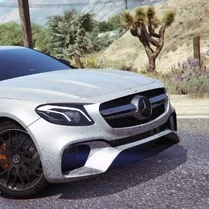 Bustle on E 63
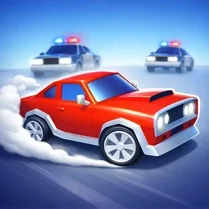 Car Chase!
 Cars under the city sky
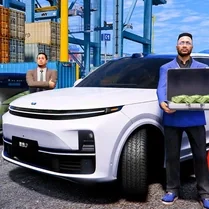 China Cars Drive L9
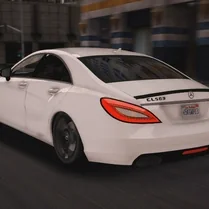 CLS 63 Banana Hustle
 Crazy City Racing
 Drift In The City: Car Destruction 3D
 Drive Zone
 Driving BMW
 Fast Traffic Race
 Flying Car Racing
 Flying Cars Era
 Good to drive
 High-speed Maneuvers: Race through the City