Bus Escape: Clear Jam
Bus Escape: Clear Jam turns a routine traffic snarl into a test of logic and planning. Each puzzle drops you into a packed lot filled with buses, trucks, and cars, all squeezed into tight spaces. Your mission is straightforward: shift the surrounding vehicles out of the way so your own bus can roll off the map. The catch is that obstacles only move horizontally or vertically, and most cannot be moved at all, demanding careful sequence planning to avoid trapping yourself.
 WaffleMath
Common Core State Standards
Every game supports specific Common Core standards. Browse the full standards library.
Practice by Skill
Games by Grade
What is Bus Escape: Clear Jam
Think you can untangle a knot of buses and cars? Put your spatial reasoning to the test in this brain-bending slider puzzle.
How to Play
Click or tap a vehicle to slide it along its track, then clear a path for your bus to exit. Plan your moves in advance, since every shuffle uses space and can block future options.
Tips for Playing
- Prioritize moving blockers that free the most space near your bus.
- Avoid shifting a vehicle if you might need to move it again later.
- Scan for long buses or trucks that take up multiple grid cells.
- When stuck, retrace your last few moves and try a different order.
- Use the reset button early instead of forcing a dead end.
Frequently Asked Questions
What is the objective in Bus Escape: Clear Jam?
You need to slide buses and other vehicles out of the way so your designated bus can reach the exit.
Can I move vehicles in any direction?
No, most vehicles can only slide along one axis—either horizontally or vertically—depending on their orientation.
What happens if I get stuck?
Use the reset or restart feature to undo all moves and try the level again.
Are there different difficulty levels?
The game includes a variety of puzzles that gradually increase in complexity with more vehicles and tighter spaces.
Does the game work on mobile devices?
Yes, you can play on touchscreens by tapping or dragging vehicles, and on desktop using a mouse.
Is there a time limit per level?
No, you can take as much time as you need to plan each move.
Related Puzzle Games

 Clear the bus traffic jam
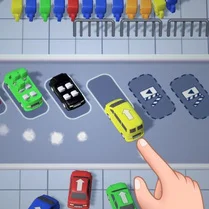 Bus Puzzle: Clear the Parking Lot!
 Bus chaos
 Bus Jam
 Bus Mania Jam
 Get Out of the Traffic Jam!
 Bus Stop: Distribute Passengers
 Bus fever
 Bus Driver Simulator
 Bus Fever: Parking Jam
 Bus Jam - Bus Parking
 Bus Simulator 3D
 Checkers on the Highway
 Checkers in traffic on Camry 3.5!
 City Bus Driver
 City Bus Simulator
 Coach Bus Simulator
 Crazy Bus Station!