Build a plane and fly 3D!
This is a playful physics-driven sandbox where your imagination sets the limits of flight. You start with a blank workspace and a catalog of components—wings, fuselages, engines, and more—to assemble a contraption that might just take to the sky. The game rewards experimentation: a sleek jet may soar gracefully, while an asymmetrical oddity might tumble end over end. Every launch is a lesson in balance, thrust, and drag, and the joy comes from iterating on your design after each crash or triumph. Once your creation is airborne, you'll guide it through a series of challenges that test speed, agility, and durability. Collect rings, navigate obstacle courses, or simply enjoy the open skies of a serene 3D world. The controls are straightforward—pitch, yaw, and throttle—but mastering them takes practice, especially when your build handles differently than you expected. With no strict goals, you're free to refine your aircraft or start over entirely, making every session a fresh engineering puzzle.
 WaffleMath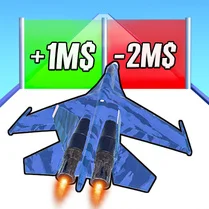
Common Core State Standards
Every game supports specific Common Core standards. Browse the full standards library.
Practice by Skill
Games by Grade
What is Build a plane and fly 3D!
Ready to turn scrap into a sky-worthy machine? Build a plane and fly 3D! gives you the tools and the sky—how you use them is up to you.
How to Play
Select parts from the menu and attach them to your aircraft's frame, then press the launch button to take off. Use the keyboard or on-screen controls to steer and adjust throttle while in flight.
Tips for Playing
- Start with a simple design—two symmetrical wings and a rear tail—before adding fancy extras.
- Place the center of gravity near the middle of the fuselage for stable, predictable handling.
- Use smaller wings for speed, but remember they reduce lift, making slow flight trickier.
- Experiment with engine thrust: too much can make your plane nose-dive, while too little might stall.
- If your plane flips repeatedly, try moving the wings slightly forward or adding a larger horizontal stabilizer.
Frequently Asked Questions
Is there a limit to how many parts I can add?
Yes, the game imposes a part count limit to keep performance smooth. You'll see a counter in the editor—this pool shrinks as you attach more components, so prioritize what's essential.
What happens if my plane crashes?
A crash will reset the aircraft to the runway, but you can immediately adjust your design or relaunch. There's no penalty, so feel free to test radical ideas.
Are there different game modes?
Yes, you'll find a free-flight mode for casual exploration and a challenge mode with specific tasks like ring collecting or speed runs. Both use the same building mechanics.
Can I save my custom designs?
Absolutely—the game keeps a slot for saved builds. You can load them later, tweak them, or share a blueprint code with friends if supported.
Do I need to unlock parts?
Initially, a basic set is available. As you complete challenges, you'll earn access to more advanced components like jet engines and swept wings.
Is the game playable on mobile devices?
Yes, it runs on most modern browsers, and the touch controls mirror the desktop layout. Just be aware that precise building might be easier with a mouse.
Related Simulation Tycoon Games
 Bridge Builder 3D
 Bridge Construction Simulator
 Big Boom! Building Smash!
 Sandbox
 Sandbox 3D
 Mechanical sandbox
 Random sandbox
 Create a Plane
 Build a Boat for Treasure!
 Roller Coaster
 Builder
 Roller Coaster Rush
 Build and Destroy: Sandbox
 Wrecking ball ACMR
 Scrap Machine
 Craft Flying Car
 Experiment Room: Sandbox
 Obbi Playground: Sandbox Mod