Build a computer!
Build a computer! is an interactive simulation that puts you in the technician's chair, where you learn the ins and outs of PC assembly by physically placing each part onto the motherboard. It's a hands-on approach to understanding how a processor, graphics card, memory modules, and storage drives all come together to form a functional unit. The game offers a sandbox-like environment where you can mix and match hardware, experimenting with different combinations to see how they affect overall system performance. Beyond just snapping pieces together, the game encourages you to think critically about compatibility and balance. Will you prioritize gaming with a top-tier GPU, or focus on multitasking with extra RAM? Each decision impacts the final build, teaching practical lessons about hardware in an engaging way. Whether you're a curious newcomer or a seasoned enthusiast, this game transforms technical knowledge into an interactive playground, making the complexities of computer hardware accessible and enjoyable.
 WaffleMath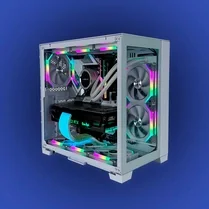
Common Core State Standards
Every game supports specific Common Core standards. Browse the full standards library.
Practice by Skill
Games by Grade
What is Build a computer!
Ever wondered what goes into making a PC? Now you can find out by building one from scratch.
How to Play
Drag components from the available inventory and drop them onto the designated slots on the motherboard. Make sure each part is compatible and fits correctly to complete your system.
Tips for Playing
- Check the compatibility of each part before you place it.
- Start with a simple build to learn the basics.
- Pay attention to power supply requirements.
- Balance your budget between CPU and GPU.
- Test different configurations to see performance changes.
Frequently Asked Questions
What is the purpose of the game?
The game's goal is to teach you about PC components and how to assemble them into a working computer.
Do I need prior knowledge of computers?
No, the game is designed for beginners and provides a simple, intuitive way to learn.
Can I make mistakes?
Yes, you can place incorrect parts, but the game will let you know if something isn't compatible.
Are there different difficulty levels?
The game may not have levels, but you can challenge yourself by building more complex systems.
Is there a time limit?
There is no time limit, so you can take your time to learn and experiment.
What happens when I complete a build?
Once all parts are correctly placed, your PC becomes functional, and you can see its performance stats.
Related Simulation Tycoon Games

 Miga World Hospital
 Toca Life School Learning Simulator
 Italian Animals in School Study Simulator
 Ages of Conflict
 Solar Smash
 Monkey Mart
 Melon Playground
 Football player career simulator
 Idle Success
 Hardware Tycoon
 Tiger Simulator 3D
 Real Racing GT3
 Football Career Simulator
 My Perfect Hotel
 Car Crash Test Simulator
 Bridge Construction Simulator
 Racing Legends: F1
 Towntopia