Block parkour - build your level
Block Parkour - Build Your Level flips the typical platformer formula by making you the architect and the athlete. You start by stacking blocks to craft a custom course, choosing where to place jumps, gaps, and pathways to create the exact kind of challenge you want to tackle. Once your layout is ready, you switch into runner mode and attempt to cross the finish line without falling. The game rewards clever level design and precise movement, so every structure you build offers a fresh test of your agility and planning. There's a neat loop here: you can refine your course after each run if you find a section too easy or too punishing, then challenge yourself again. For players who enjoy a cooperative twist, you can share a code with friends so they can try to beat your creation. The block building is straightforward and fast, making it easy to jump in for a few minutes or sink into an extended session of design and daring leaps. Whether you aim to build the ultimate obstacle course or simply want to push your platforming skills, this game lets you set the pace.
 WaffleMath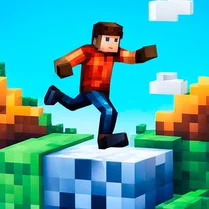
Common Core State Standards
Every game supports specific Common Core standards. Browse the full standards library.
Practice by Skill
Games by Grade
What is Block parkour - build your level
Take control of both the builder and the runner in an arcade parkour adventure where you design the track and then race to finish it. Craft tricky routes with simple block placement, then leap, sprint, and slide your way to victory.
How to Play
Use the on-screen controls to move your character, and build levels by selecting and placing blocks in the editor mode. Switch to play mode and guide your runner from the start to the finish flag, avoiding falls and timing your jumps.
Tips for Playing
- When building, place blocks in a straight line for a simple run and add gaps only when you are comfortable with the controls.
- Test your level early and often; a short test run can reveal jumps that are too wide or too high.
- Use the undo button generously to tweak your layout without starting from scratch.
- In play mode, hold the jump button longer to land on distant platforms more reliably.
- If a level feels unfair, adjust the block positions slightly rather than removing the whole course.
Frequently Asked Questions
Can I edit a level after I've built it?
Yes, you can return to the builder mode at any time and modify blocks or reposition them. This lets you refine the course before attempting it again.
How do I share my custom level with friends?
When you finish a level, you receive a unique code that others can enter to load your course. They can then try to beat your time or simply enjoy the layout.
What happens if my character falls off the blocks?
Falling off typically resets the run, placing you back at the start of the course. You'll need to retry from the beginning, so careful jumps are key.
Is there a time limit for building levels?
No, the building phase has no time pressure. You can take as long as you need to design the perfect course before you start running.
Can I play levels created by other players?
If someone shares their level code with you, you can enter it to load and play their course, giving you a chance to see how they designed the challenge.
What kind of block types are available in the builder?
The game offers basic cube blocks and sometimes flat panels, allowing you to create stairs, platforms, and bridges. The simplicity keeps the focus on effective design.
Related Obby Parkour Games
 Parkour of Noobik: Obby Multiplayer
![Play [Multiplayer] Obby: Parkour Platformer](https://cdn.wafflemath.com/game-source/multiplayer-obby-parkour-platformer/icon.webp)
 [Multiplayer] Obby: Parkour Platformer
 Obby: Battle Royale
 Rainbow Obby Parkour: 4 Modes
 Obby: Battle Online
 Obby: Battle Fight
 Obby Build a Plain
 Obby Parkour: Build a House and Run
 Stickman Party Parkour
 1v1.lol
 Fortnite
 EaglerCraft 1.8
 Happy Wheels
 BuildNow.gg
 Stumble Guys
 Shortcut Race
 LolBeans.io
 Italian Brainrot Obby Parkour