Avatar Makeup
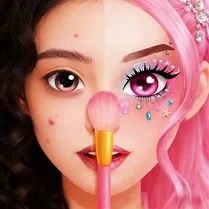
Avatar Makeup turns your screen into a digital vanity table, where creativity takes center stage. Instead of following fixed rules, you're free to layer products in any order, blending colors and textures until your avatar reflects the style you have in mind. The toolkit spans everyday essentials to bold statement pieces, giving you room to explore subtle everyday styles or dramatic, fantasy-inspired transformations. The interface keeps things simple: pick a product, choose a color, and apply it directly to the face. As you experiment, you'll discover how different combinations interact, from soft neutral gradients to vivid pops of color. There’s no timer and no scoring, so you can take your time, undo mistakes, and start over as often as you like. When you're happy with the final look, step back and admire your handiwork—then dive back in to try another direction entirely.
 WaffleMath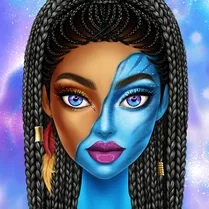
Common Core State Standards
Every game supports specific Common Core standards. Browse the full standards library.
Practice by Skill
Games by Grade
What is Avatar Makeup
A playful sandbox for anyone who loves experimenting with makeup, Avatar Makeup invites you to mix, match, and reinvent your virtual character's look with just a few clicks.
How to Play
Choose a makeup category, select a shade from the palette, and click or tap on the corresponding part of the avatar’s face to apply it. Use the undo and reset buttons to tweak or clear your work at any time.
Tips for Playing
- Start with a light base layer, then build up color gradually for better control.
- Try pairing complementary shades like purple with gold or blue with silver for a striking contrast.
- Use the undo button liberally—sometimes a small tweak makes a big difference.
- Looking for a natural look? Stick to earthy tones like browns, peaches, and soft pinks.
- After finishing the face, experiment with accessories to give your avatar extra personality.
Frequently Asked Questions
Can I change the avatar's face shape or skin tone?
Avatar Makeup focuses on makeup application, so the avatar's base features are fixed. You can adjust color choices and accessories to create different moods and styles.
Is there a limit to how many products I can use?
No, there's no cap on the number of products or colors you apply. Feel free to layer as much as you want until you achieve the desired effect.
How do I undo a mistake?
Look for the undo or reset buttons on the screen. Tap undo to remove the last action, or use reset to clear the entire look and start fresh.
Do I have to finish a look in a certain amount of time?
No, there's no timer. You can take as long as you like to perfect your avatar's makeup and accessories.
Can I save my finished avatar?
The game doesn't include a save feature, but you can take a screenshot of your final design if you want to keep it for later.
Is this game suitable for all ages?
Yes, it uses simple dragging and clicking mechanics and has no inappropriate content, making it friendly for players of every age group.
Related Dress Up Style Games
 Avatar World Beauty Salon
 Black Hole: Beauty Makeup
 Face Chart - Makeup Guru
 Insta Makeup: Bride
 Toсa World: Beauty Salon
 Red Carpet: Beauty Salon
 Spa Beauty Salon Game for Girls
 Lipstick Maker
 Mermaidcore Makeup
 Valentine's Makeup Trends
 ASMR Makeup - Beauty Salon
 Beauty World: The Magic of Makeup
 DIY Makeup Salon: SPA Makeover
 Ellie Christmas Makeup
 Face Makeup for Girls: Stylist
 Labubu Makeup: Beauty Salon
 Lip Salon
 Lumière Beauty