Assemble the Picture: Puzzle
Assemble the Picture: Puzzle reimagines the classic jigsaw experience for your browser. Each level presents a beautifully rendered image that has been broken into fragments and scattered across the screen. Your task is to drag each piece into its correct spot on the grid, rotating pieces as needed until the full picture emerges. The early stages ease you in with simple scenes and fewer pieces, but soon you'll face intricate compositions and higher piece counts that demand patience and a sharp eye. The game strikes a pleasant balance between relaxation and mental stimulation. Its clean visuals and soothing pace make it a perfect way to unwind, while the gradual difficulty curve keeps puzzle lovers hooked. Whether you have a few minutes or a long stretch of free time, the satisfying click of a piece snapping into place never gets old. With a fresh image awaiting at each level, there's always a new reason to return and test your spatial reasoning.
 WaffleMath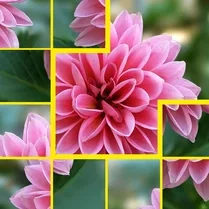
Common Core State Standards
Every game supports specific Common Core standards. Browse the full standards library.
Practice by Skill
Games by Grade
What is Assemble the Picture: Puzzle
Get ready to piece together stunning pictures one fragment at a time. This puzzle game challenges your observation and logic while keeping the vibe calm and enjoyable.
How to Play
Drag and drop the scrambled puzzle pieces onto the matching spots on the board. Rotate pieces if necessary to align them perfectly with the underlying image pattern.
Tips for Playing
- Start by locating the corner pieces to establish the frame of the image.
- Sort pieces by color or unique patterns to narrow down where they belong.
- Rotate pieces before dragging to save time and avoid misplacement.
- Focus on one distinct section of the image at a time rather than jumping around.
- Use the ghost silhouette under a selected piece to identify its correct position quickly.
Frequently Asked Questions
How do I rotate a puzzle piece?
Click or tap on a piece to select it, then use the rotate button (usually shown on screen) to turn it clockwise or counterclockwise.
Can I play this game on a mobile device?
Yes, the game is designed to work with both mouse and touch controls, so you can enjoy it on tablets and phones too.
Is there a time limit or score system?
The game focuses on completing each puzzle without a timer, but you may earn a score based on how few moves you use or how quickly you finish.
What happens if I get stuck on a level?
You can take a break and return later—there's no penalty. Often a fresh perspective helps you see where pieces fit.
Are there different difficulty levels?
Yes, the game introduces more complex images and a higher piece count as you advance, gradually increasing the challenge.
Does the game work offline?
Since it's a browser-based game, it requires an internet connection to load. Once loaded, it should run smoothly without additional downloads.
Related Puzzle Games

 Art Puzzles For Adults
 Magic Jigsaw Puzzles
 Relax Jigsaw Puzzles
 Flowers Jigsaw Puzzle
 Puzzles with beauties
 Horses Jigsaw Puzzle
 Forest Jigsaw Puzzles
 Nature in jigsaw: Collect and admire
 Cute Jigsaw Puzzles - Animals
 Disassemble the picture: Puzzle!
 Jigsaw Puzzle Birds
 Cities Jigsaw Puzzle
 Cats Jigsaw Puzzle
 Puzzles: the world of fluffy cats
 Assemble beautiful puzzles
 Assemble me completely
 Assemble the Puzzle
 Beautiful relaxation puzzles